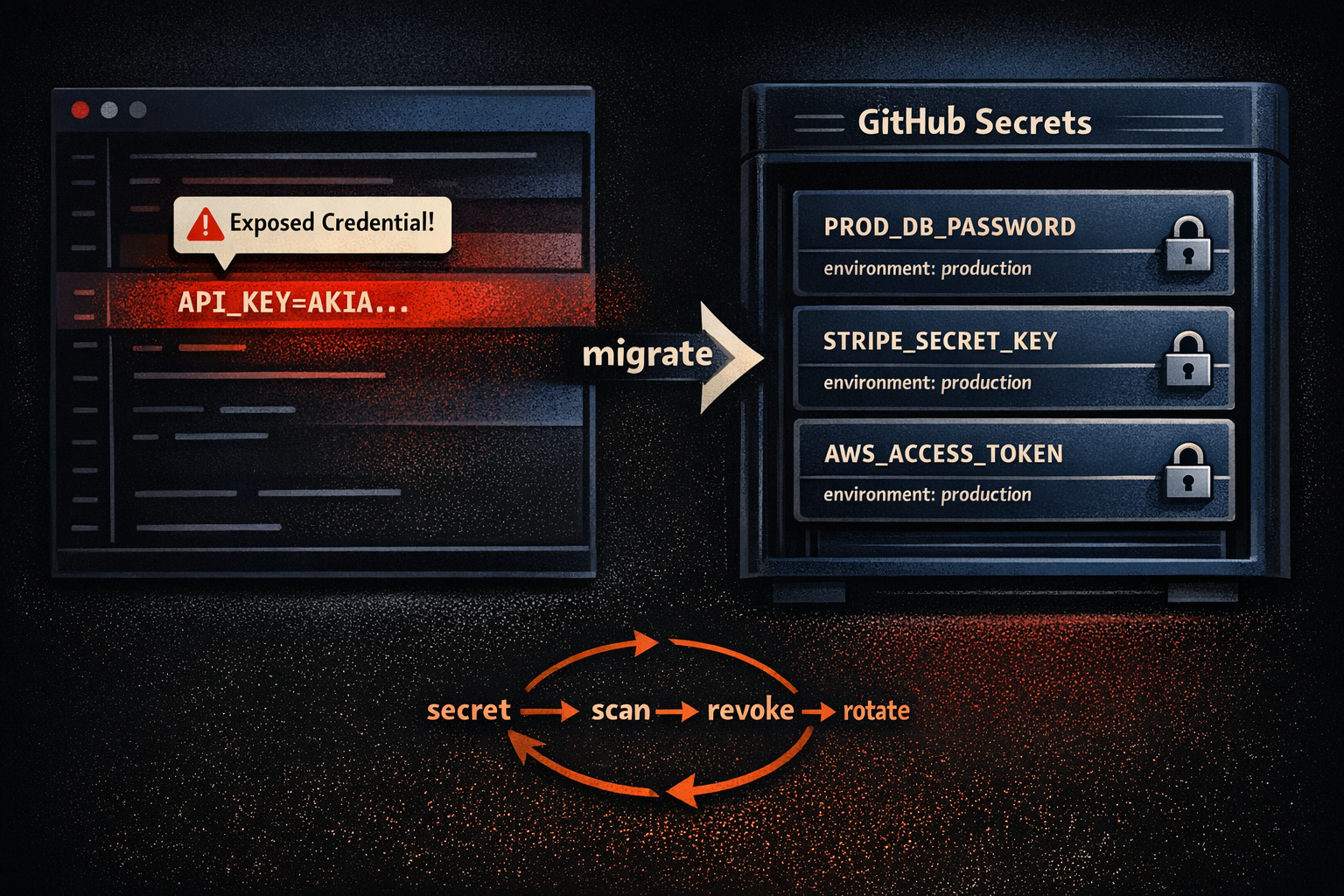
Secrets are the lifeblood of modern applications. API keys, database credentials, encryption tokens - these tiny strings unlock access to critical systems and sensitive data. But when secrets are mishandled, they become one of the fastest paths to a breach. In fact, exposed credentials are among the most common causes of security incidents today.
If you’ve ever seen a developer hardcode an API key into a config file or commit a password to a public repository, you know how easy it is for secrets to leak. And once they’re out, attackers don’t need to break encryption or exploit zero-days. They simply use the keys you left behind.
This article dives deep into how GitHub helps you manage secrets securely, what best practices you should adopt, and the pitfalls that can derail even well-intentioned teams. We’ll cover secret scanning, environment variables, and strategies for secure storage, all through the lens of real-world DevSecOps challenges.
Why Secrets Management Matters
Secrets are everywhere in modern software. They connect microservices, authenticate APIs, and enable cloud deployments. But the convenience of secrets comes with risk. When credentials are embedded in source code, they often end up in version control systems, which are designed to preserve history forever. That means even if you remove a secret later, it can still be retrieved from old commits.
Attackers know this. Automated bots constantly scan public repositories for exposed keys. If they find one, they can exploit it within minutes, sometimes before you even realize it’s there. The consequences range from unauthorized access to full-blown data breaches, and the cost of remediation skyrockets when secrets are compromised in production environments.
Managing secrets properly isn’t just a technical best practice; it’s a compliance requirement. Frameworks like SOC 2, PCI DSS, and ISO 27001 mandate secure handling of sensitive information. Hardcoding credentials violates these standards and can lead to regulatory penalties.
The GitHub Landscape for Secrets Management
GitHub has evolved beyond being a code hosting platform. It now offers a suite of features designed to help teams detect, prevent, and manage secrets securely. These include:
- Secret Scanning: GitHub automatically scans repositories for patterns that match known credential formats. If it finds something suspicious, it alerts you immediately.
- Environment Secrets: GitHub Actions allows you to store secrets at the repository, organization, or environment level. These secrets are encrypted and injected into workflows at runtime.
- Dependabot Alerts: While primarily focused on dependency vulnerabilities, Dependabot complements secret scanning by reducing the risk of compromised libraries that might expose secrets indirectly.
Let’s break these down and see how they fit into a secure development workflow.
Secret Scanning: Your First Line of Defense
Secret scanning is GitHub’s proactive approach to preventing leaks. It works by analyzing commits for patterns that resemble credentials, such as API keys, tokens, and passwords, and flags them before they become a problem.
When secret scanning is enabled, GitHub checks every push to your repository. If it detects a secret, it sends an alert to repository administrators and, in some cases, automatically notifies the service provider so they can revoke the compromised key.
This feature is particularly powerful for public repositories, where exposure can lead to immediate exploitation. But it’s equally valuable for private repos, because insider mistakes are just as dangerous as external threats.
The key to making secret scanning effective is enabling it across all repositories—not just the ones you think are sensitive. Secrets have a way of showing up in unexpected places, like test scripts or temporary configuration files.
Environment Secrets: Secure Injection for Workflows
GitHub Actions introduced a game-changing feature for secrets management: environment secrets. Instead of hardcoding credentials into workflow files, you store them securely in GitHub’s encrypted vault. At runtime, these secrets are injected into the workflow as environment variables.
This approach solves two major problems. First, it keeps secrets out of version control, so they’re never exposed in commits. Second, it allows you to rotate credentials without modifying workflow files, reducing operational friction.
Secrets can be scoped at different levels:
- Repository-level: Accessible to workflows in a single repository.
- Organization-level: Shared across multiple repositories, ideal for enterprise environments.
- Environment-level: Tied to specific deployment environments like staging or production, adding an extra layer of control.
When using environment secrets, it’s critical to follow the principle of least privilege. Only grant workflows access to the secrets they need, and avoid overloading a single environment with unrelated credentials.
Dependabot: Keeping Dependencies Secure
While Dependabot isn’t a secrets management tool in the strict sense, it plays a critical role in reducing the risk of compromised credentials through vulnerable dependencies. Secrets often interact with third-party libraries such as SDKs, API clients, or infrastructure modules, and if those libraries contain security flaws, your secrets can be exposed indirectly.
Dependabot continuously monitors your project’s dependencies for known vulnerabilities. When it detects an issue, it automatically opens a pull request with the recommended version upgrade. This proactive approach ensures that the libraries handling your secrets remain secure and up to date.
Including Dependabot in your security strategy is about defense in depth. Even if you manage secrets perfectly, a vulnerable dependency can undermine your efforts. By automating dependency updates, you reduce the attack surface and strengthen the overall integrity of your workflows.
Common Pitfalls in Secrets Management
Even with GitHub’s tooling, secrets management can go wrong. One of the most common mistakes is assuming that private repositories are inherently safe. They’re not. Insider threats, misconfigured permissions, and accidental sharing can all lead to exposure.
Another pitfall is neglecting to rotate secrets. Credentials that never change become ticking time bombs. If a secret is compromised and you don’t rotate it promptly, attackers can maintain access indefinitely.
Teams also struggle with visibility. Secrets often sprawl across multiple repositories, environments, and cloud services. Without centralized tracking, it’s easy to lose control. GitHub provides some visibility through its security dashboard, but for large organizations, integrating with a dedicated secrets manager like HashiCorp Vault or AWS Secrets Manager is essential.
Best Practices for Secure Secrets Management
The foundation of secure secrets management is simple: never store credentials in source code. But that's just the beginning. A mature approach includes:
- Enabling secret scanning on all repositories.
- Using environment secrets for workflows instead of hardcoding values.
- Rotating credentials regularly and automating the process where possible.
- Limiting access based on least privilege principles.
- Auditing secret usage and reviewing logs for anomalies.
- Integrating GitHub with external secret managers (such as Hashicorp Vault or Azure KeyVault) for enterprise-scale control.
These practices don’t just reduce risk, they make compliance easier and improve operational resilience.
The Future of Secrets Management on GitHub
As software supply chain attacks become more sophisticated, secrets management will continue to evolve. GitHub is already experimenting with advanced features like push protection, which blocks commits containing secrets before they even reach the repository.
Looking ahead, expect tighter integration between GitHub and cloud providers, automated secret rotation, and AI-driven anomaly detection. The goal is to make secrets management seamless, so developers can focus on building features without compromising security.
Closing Thoughts
Secrets are powerful... and dangerous. Managing them securely is one of the most important responsibilities in modern software development. GitHub provides strong tools to help, but technology alone isn’t enough. It takes discipline, clear policies, and a culture that treats security as a shared responsibility.
Start by enabling secret scanning, move your credentials into environment secrets, and adopt a rotation strategy. From there, integrate with external managers and automate wherever possible. The sooner you take these steps, the less likely you are to wake up to a breach caused by a forgotten API key in a commit from six months ago.
Security isn’t about perfection. It’s about reducing risk. And with GitHub’s capabilities, you have everything you need to make secrets management a strength, not a vulnerability.
Need help securing your secrets? Ask me!