Modern software development moves at breakneck speed. Continuous integration and continuous delivery (CI/CD) pipelines have transformed how teams build and ship applications, enabling rapid iteration and frequent releases. But with this velocity comes risk. Vulnerabilities can slip through unnoticed, and if they make it into production, the cost of remediation skyrockets, not just in dollars, but in reputation and trust.
This is where static analysis becomes indispensable. Among the tools available today, CodeQL stands out as a game-changer for DevSecOps engineers. It’s not just another scanner; it’s a query engine for your code. CodeQL allows you to treat your codebase like a database, asking sophisticated questions about patterns, flows, and behaviors that might indicate security flaws. In this deep dive, we’ll explore what makes CodeQL unique, how it works under the hood, how you can customize it to fit your organization’s needs, and how to integrate it seamlessly into your workflows.
By the end of this article, you’ll understand why CodeQL is more than a tool. It’s a mindset shift for secure development.
What Is CodeQL and Why Does It Matter?
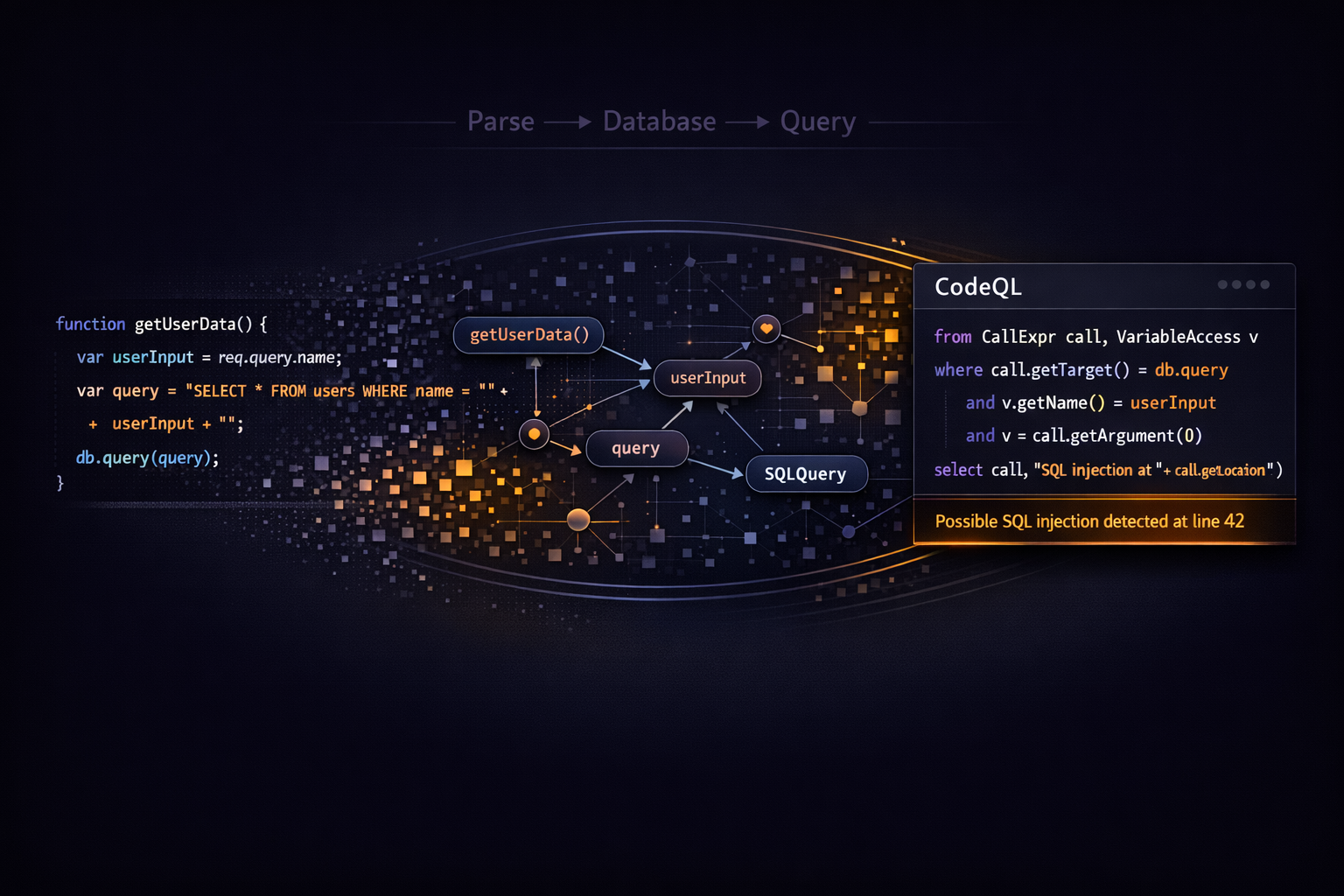
CodeQL is GitHub’s semantic code analysis engine. Unlike traditional static analysis tools that rely on predefined rules and pattern matching, CodeQL converts your source code into a relational database. Every function, variable, class, and dependency becomes part of a structured schema. This means you can write queries to search for vulnerabilities, design flaws, or even coding style violations, similar to how you write queries for SQL.
Why is this approach powerful? Because vulnerabilities often share structural similarities. For example, SQL injection vulnerabilities typically involve unsanitized user input flowing into a database query. With CodeQL, you can express this concept as a query and apply it across your entire codebase. Instead of scanning for hardcoded patterns, you’re analyzing relationships and data flows, which makes detection far more accurate and adaptable.
For DevSecOps engineers, this flexibility is gold. It allows you to go beyond generic checks and tailor security analysis to your application’s architecture, coding standards, and threat model.
How CodeQL Works Behind the Scenes
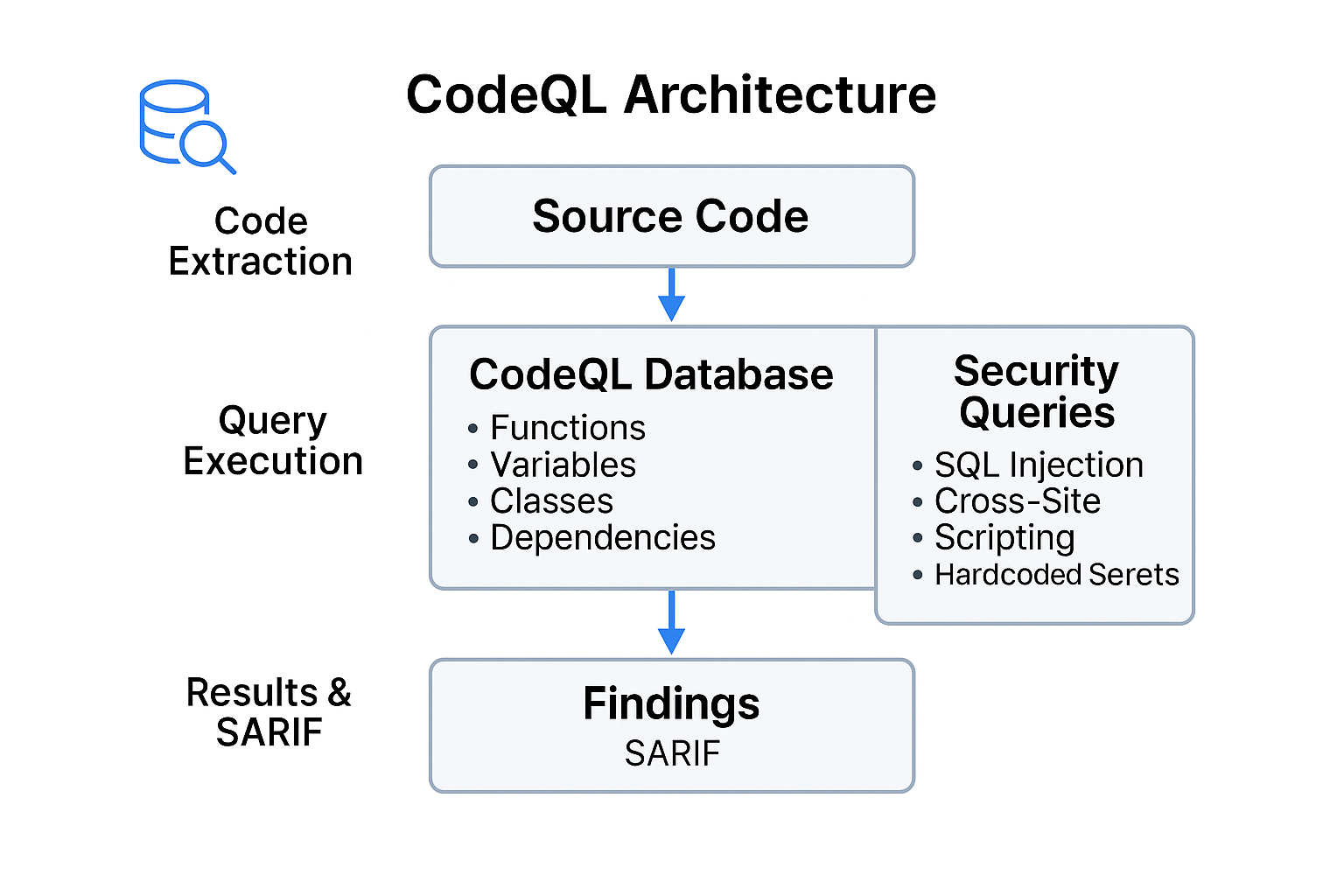
To appreciate CodeQL’s capabilities, it helps to understand its workflow. When you run CodeQL, three major steps occur:
Step 1: Code Extraction CodeQL parses your source code and builds a database that represents the code’s abstract syntax tree (AST), control flow, and data flow. This database is language-specific, and CodeQL supports a wide range of languages including JavaScript, Python, Java, Go, C#, and C/C++.
Step 2: Query Execution Queries are written in CodeQL’s own language, which borrows concepts from logic programming and relational algebra. These queries operate on the database created in Step 1. For example, you might write a query to find all functions that concatenate user input into SQL statements without sanitization.
Step 3: Results and Reporting The results of these queries are returned in SARIF (Static Analysis Results Interchange Format), which integrates seamlessly with GitHub’s code scanning alerts. This means developers see actionable findings directly in their pull requests, complete with explanations and remediation guidance.
This architecture makes CodeQL incredibly versatile. You’re not limited to the queries GitHub provides. You can write your own, combine them, and even share them across teams.
The Query Language: Your Superpower
At the heart of CodeQL is its query language. If you’ve ever written SQL, you’ll feel at home, but CodeQL is designed for code analysis, not relational data. A typical query consists of:
- Imports: Specify the language libraries you need (e.g.,
import javascript). - Predicates: Define conditions that match certain code elements.
- Select statements: Determine what results to return and how to annotate them.
Here’s a simple example that detects hardcoded AWS access keys in JavaScript:
import javascript

from Literal l
where l.getValue().matches("AKIA[0-9A-Z]{16}")
select l, "Possible AWS Access Key detected."
This query imports the JavaScript library, iterates over all literals, and flags any that match the regex for AWS keys. It’s concise, expressive, and easy to adapt.
But CodeQL can do much more. You can write queries that track data flow across functions, identify tainted inputs, and detect complex vulnerability patterns. For instance, finding SQL injection risks involves tracing user input from its source to a sink (e.g., a database call) without proper sanitization. CodeQL’s libraries provide built-in predicates for common sources and sinks, making these queries easier to write.
Customizing Queries for Your Organization
Out-of-the-box, CodeQL includes thousands of queries covering common vulnerabilities and best practices. But every organization has unique requirements. Maybe you have internal APIs that require special handling, or coding standards that go beyond what generic queries enforce. Customization is where CodeQL shines.
You can:
- Extend existing queries by adding conditions or exceptions.
- Write new queries for project-specific risks.
- Suppress false positives by refining predicates.
For example, suppose your team uses a custom sanitization function called sanitizeInput. You can modify the standard SQL injection query to treat calls to this function as safe. This reduces noise and builds developer trust.
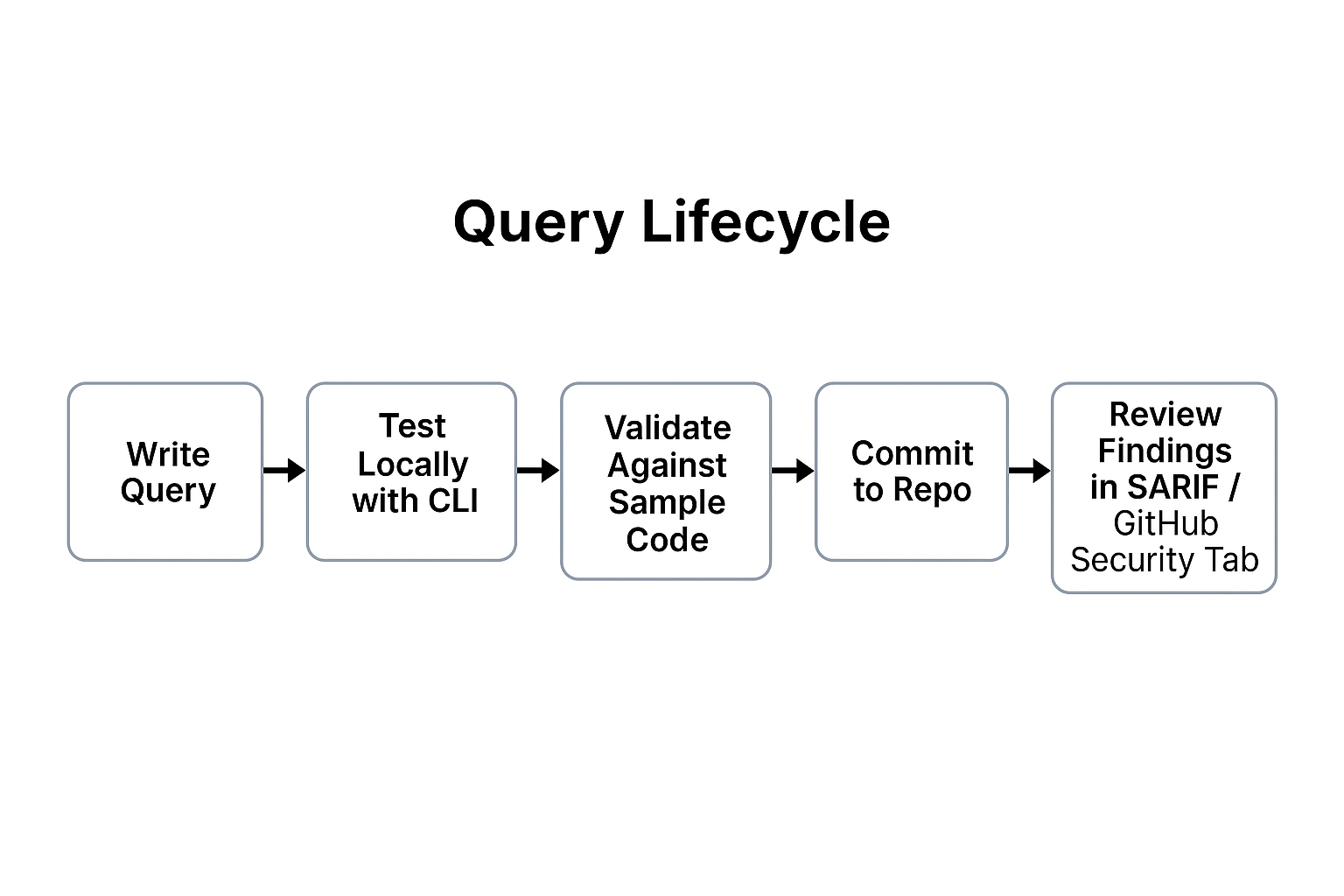
Testing custom queries is straightforward with the CodeQL CLI. You can run queries locally against your codebase, iterate quickly, and then integrate them into your CI/CD pipeline once validated.
Integrating CodeQL into Your Workflows
Static analysis is most effective when it’s automated and continuous. GitHub Actions makes CodeQL integration seamless. Here’s a sample workflow you can use:
name: CodeQL Analysis

on:
  push:
    branches: [main]
  pull_request:
    branches: [main]
  schedule:
    - cron: '0 2 * * 0'

jobs:
  analyze:
    runs-on: ubuntu-latest
    permissions:
      actions: read
      contents: read
      security-events: write
    steps:
      - uses: actions/checkout@v4
      - uses: github/codeql-action/init@v3
        with:
          languages: javascript,python
      - uses: github/codeql-action/autobuild@v3
      - uses: github/codeql-action/analyze@v3
This workflow runs CodeQL on every push and pull request to main, plus a scheduled weekly scan. It initializes CodeQL, builds the project, and analyzes the code. Results appear in GitHub’s Security tab and as annotations in pull requests.
For larger projects, consider splitting workflows into modular jobs and using caching to speed up builds. You can also configure fail-on-severity thresholds to block merges when critical vulnerabilities are detected.
Best Practices for CodeQL Adoption
Integrating CodeQL is just the beginning. To maximize its value:
- Run scans early and often. Pull request analysis provides fast feedback and prevents vulnerabilities from entering the main branch.
- Tune queries to reduce false positives. Developer trust is essential because noisy alerts lead to alert fatigue.
- Combine CodeQL with other security checks like secret scanning and dependency review for layered defense.
- Educate developers on interpreting CodeQL findings. The more they understand the “why” behind alerts, the more likely they are to fix issues promptly.
Advanced Use Cases
CodeQL isn’t limited to security. You can use it for:
- Code quality enforcement: Detect anti-patterns or deprecated APIs.
- Compliance checks: Ensure code adheres to regulatory requirements.
- Architecture analysis: Identify cyclic dependencies or excessive coupling.
These use cases make CodeQL a versatile tool for both security and engineering excellence.
The Future of CodeQL
GitHub continues to invest heavily in CodeQL. Expect improvements in query packs, language support, and performance. Features like push protection and deeper integration with GitHub Advanced Security will make secure development even more frictionless.
For DevSecOps engineers, mastering CodeQL is a career-defining skill. It empowers you to move beyond reactive scanning and embrace proactive, intelligent security.
Final Thoughts
Static analysis is no longer optional. It’s a necessity in modern software delivery. CodeQL offers a unique approach that combines precision, flexibility, and automation. By understanding how it works, customizing queries, and integrating it into your workflows, you can elevate your security posture without sacrificing speed.
Start small. Enable CodeQL on a critical repository, experiment with queries, and iterate. Over time, you’ll build a library of custom checks that reflect your organization’s priorities. And as you do, you’ll transform security from a bottleneck into a seamless part of development.
Need help getting your CodeQL just right? Contact me!