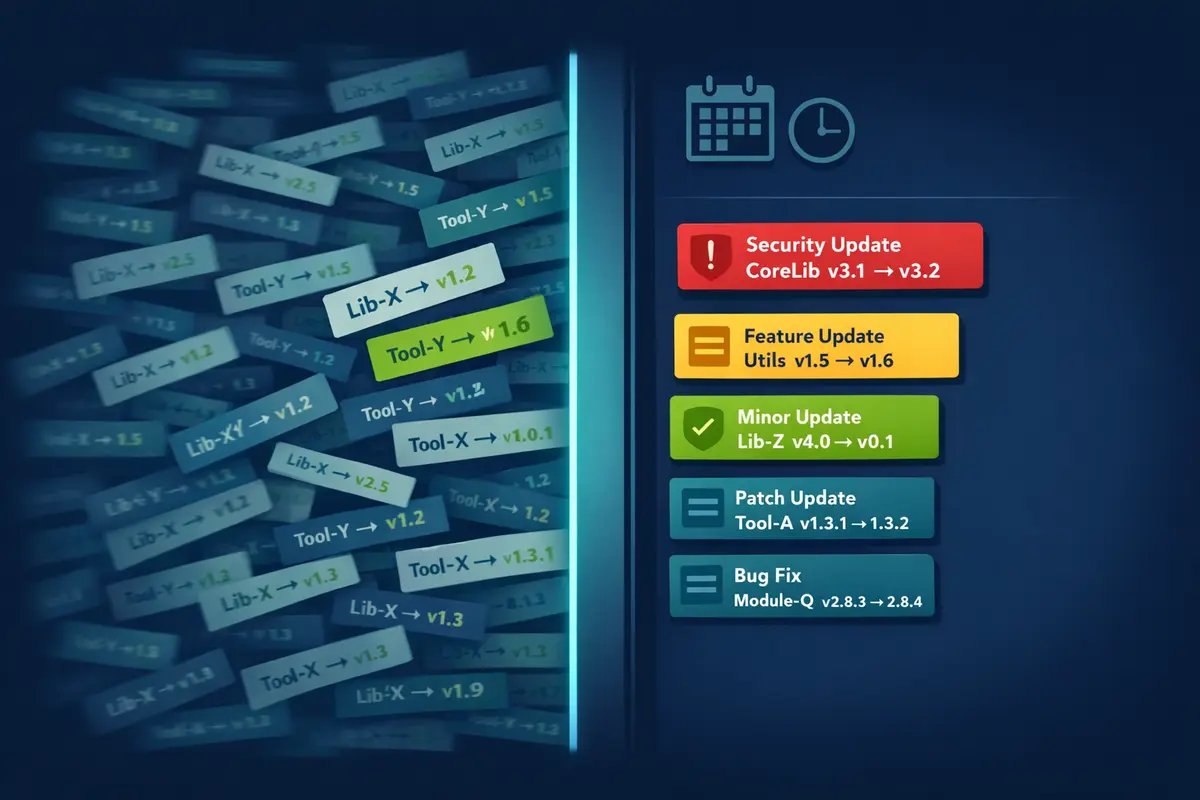
Here's how most Dependabot stories end: the team enables it, a flood of PRs appears, nobody has time to review 40 dependency bumps, the PRs age into staleness, and eventually someone closes them all in bulk and adds Dependabot to the list of things that sounded good in theory. Sometimes they disable it outright. Sometimes they just stop looking.
The tool isn't broken. The configuration is. Dependabot out of the box is optimized for coverage - it will find every update and open a PR for it. What it is not optimized for is human attention. The default config fires daily, creates one PR per package per version bump, treats a patch bump to a dev-only type package the same as a major version change to your HTTP client, and sets a low cap on open PRs that triggers a silent failure mode most teams don't even know exists. Every one of those choices is tunable. Two hours of configuration work will cut your PR volume by 70% while keeping security updates fast and individual. This post walks through exactly how to do that.
What You Get by Default
A repo with npm, Docker, and GitHub Actions dependencies needs exactly three lines of configuration to enable Dependabot:
# .github/dependabot.yml (default)
version: 2
updates:
  - package-ecosystem: "npm"
    directory: "/"
    schedule:
      interval: "daily"
  - package-ecosystem: "docker"
    directory: "/"
    schedule:
      interval: "daily"
  - package-ecosystem: "github-actions"
    directory: "/"
    schedule:
      interval: "daily"
For a medium-sized project - 50 npm dependencies, two or three Docker base images, a handful of GitHub Actions - the first week will produce somewhere between 20 and 50 PRs. If you haven't updated dependencies in a few months, that number can spike higher. Each PR is a single package bump, unreviewed, with a title like Bump @types/node from 20.11.0 to 20.11.5 that carries no signal about whether it matters.
The problem compounds. A daily schedule means any upstream package that releases a new version today will generate a new PR tomorrow. For active ecosystems like npm, that's not occasional - it's continuous. eslint, typescript, @types/*, React ecosystem packages - they release constantly. Without grouping or scheduling discipline, you're running a low-grade interrupt loop that trains your team to ignore the PRs entirely.
That's the configuration problem. Here's how to fix it.
The Tuning Levers
Scheduling - Weekly Is the Right Default
Daily updates are wrong for most teams. Not because freshness doesn't matter - it does - but because daily creates a pace of review that no team actually sustains. The right default is weekly, and the right day is Monday morning.
Monday gives your team a clean start with a predictable batch of updates. Friday is actively bad - Dependabot PRs that open on a Friday sit over the weekend and nobody is happy about merging an untested dependency bump before heading out. Monday morning also means the team can merge, run CI, and have time in the same week to deal with anything unexpected.
One important caveat: security updates bypass the schedule entirely. When Dependabot detects a vulnerability in a dependency, it opens a PR immediately, regardless of what you've set for interval. Switching to weekly does not slow down your response to known CVEs. This distinction matters and it's one of the most common misconceptions about tuning the schedule.
schedule:
  interval: "weekly"
  day: "monday"
  time: "09:00"
  timezone: "UTC"
Grouping - The Single Highest-Impact Change
Without grouping, every package gets its own PR. With grouping, related packages are bundled into a single PR. This is the lever that most dramatically reduces PR volume.
The syntax is straightforward. You define named groups with a pattern that matches package names, and optionally constrain them to specific update types:
groups:
  dev-dependencies:
    dependency-type: "development"
    update-types:
      - "minor"
      - "patch"
  aws-sdk:
    patterns:
      - "@aws-sdk/*"
      - "aws-cdk*"
  eslint-plugins:
    patterns:
      - "eslint*"
      - "@typescript-eslint/*"
With this configuration, all your dev dependencies (patch and minor) arrive in a single PR. All your @aws-sdk/* packages - and there can be dozens - arrive in one PR. All your ESLint toolchain packages arrive together. Instead of 15 PRs for dev tooling updates, you get one.
Two things worth knowing about how grouping interacts with security updates. First: security updates are excluded from groups by default. When Dependabot opens a PR for a known vulnerability, it opens it as an individual PR regardless of whether the package matches a group. This is the correct behavior - you want security PRs to be fast, individual, and easy to track. Don't fight this. Second: ungrouped packages still get individual PRs, so you're not forced to bucket everything - you can be selective about which families you group.
For GitHub Actions, grouping by patch updates keeps your action version noise low while letting major version changes - which sometimes involve breaking API changes - surface individually:
# For the github-actions ecosystem
groups:
  actions-minor-patch:
    update-types:
      - "minor"
      - "patch"
Versioning Strategy
Dependabot offers three versioning strategies for npm. The difference matters for lockfile-only projects versus projects that also manage package.json version ranges:
lockfile-only: Only updatespackage-lock.jsonoryarn.lock. Does not change version ranges inpackage.json. Useful if you want strict control over what you've declared, but it means Dependabot can't update packages that don't already satisfy the current range.increase-if-necessary: Updates the version range inpackage.jsononly when the new version falls outside the current range. This is the right default for most projects - it keeps your declared ranges honest without aggressively bumping them.widen: Widens the version range to include both the old and new version. Creates permissive ranges that can hide what version is actually running.
For most npm projects, increase-if-necessary is the right call. For GitHub Actions, it's also the right default - though if you're serious about supply chain security, pinning Actions to full commit SHAs and using Dependabot to update those pins is a stronger posture (that's worth its own post).
versioning-strategy: increase-if-necessary
Allowed and Ignored Updates
Sometimes you explicitly don't want Dependabot touching a specific package. Maybe you're in the middle of migrating away from it. Maybe a known-broken major version exists and you're not ready to upgrade. The ignore directive handles this:
ignore:
  # Hold on major version bumps for webpack until we migrate config
  - dependency-name: "webpack"
    update-types: ["version-update:semver-major"]
  # This package has a broken v3.x release; skip it entirely for now
  - dependency-name: "some-library"
    versions: ["3.x"]
For monorepos with a mix of internal and external packages, allow lets you whitelist just the external dependencies you actually want Dependabot to manage, which prevents it from opening PRs for internal workspace packages:
# Option A: only direct dependencies (production + dev, no transitive)
allow:
  - dependency-type: "direct"

# Option B: only production dependencies (direct + transitive, no dev)
allow:
  - dependency-type: "production"
The PR Limit Silent Failure
This one deserves special emphasis because it creates a failure mode most teams don't know about until they're already affected.
Dependabot has an open-pull-requests-limit that defaults to 5. Once 5 Dependabot PRs are open in a repo, Dependabot stops opening new ones - silently. No notification, no warning, no dashboard indicator. If you have 6 open PRs and a new vulnerability is discovered in one of your dependencies, Dependabot will not open a security PR until you reduce your open count below the limit.
This is the exact opposite of what you want from a security tool.
The fix is to set the limit explicitly and high enough to accommodate your grouping strategy:
open-pull-requests-limit: 10
If you've enabled grouping, your actual PR count should stay low enough that 10 is comfortable. But set it explicitly regardless - relying on the default means accepting a silent ceiling you might not notice until it matters.
Auto-merge for Low-Risk Updates
Grouping and scheduling reduce review volume, but the further optimization is auto-merge for updates that are genuinely low-risk. A companion GitHub Actions workflow can merge Dependabot patch and minor PRs automatically once CI passes:
# .github/workflows/dependabot-automerge.yml
name: Dependabot Auto-merge
on: pull_request

permissions:
  contents: write
  pull-requests: write

jobs:
  auto-merge:
    runs-on: ubuntu-latest
    if: github.actor == 'dependabot[bot]'
    steps:
      - name: Fetch Dependabot metadata
        id: metadata
        uses: dependabot/fetch-metadata@v2
        with:
          github-token: ${{ secrets.GITHUB_TOKEN }}
      - name: Auto-merge patch and minor updates
        if: |
          steps.metadata.outputs.update-type == 'version-update:semver-patch' ||
          steps.metadata.outputs.update-type == 'version-update:semver-minor'
        run: gh pr merge --auto --squash "$PR_URL"
        env:
          PR_URL: ${{ github.event.pull_request.html_url }}
          GH_TOKEN: ${{ secrets.GITHUB_TOKEN }}
gh pr merge --auto queues the merge but does not bypass branch protection. The PR still needs to pass all required status checks before it merges. If CI fails, nothing merges - auto-merge just removes the human step of pressing the button on PRs that would obviously have been approved anyway.
For teams with strict review requirements, you can scope auto-merge to patch-only and require human review for minor bumps. The key decision is comfort level: patches are usually safe to auto-merge; minor versions occasionally introduce behavioral changes that warrant a look.
The Complete Tuned Configuration
Here's the full dependabot.yml that incorporates all of the above. This is the config I'd start with for a real project and adjust from there:
# .github/dependabot.yml
version: 2
updates:
  - package-ecosystem: "npm"
    directory: "/"
    schedule:
      interval: "weekly"
      day: "monday"
      time: "09:00"
      timezone: "UTC"
    versioning-strategy: increase-if-necessary
    open-pull-requests-limit: 10
    groups:
      dev-dependencies:
        dependency-type: "development"
        update-types:
          - "minor"
          - "patch"
      aws-sdk:
        patterns:
          - "@aws-sdk/*"
          - "aws-cdk*"
      eslint-plugins:
        patterns:
          - "eslint*"
          - "@typescript-eslint/*"
    ignore:
      # Hold major version bumps on webpack pending config migration
      - dependency-name: "webpack"
        update-types: ["version-update:semver-major"]

  - package-ecosystem: "docker"
    directory: "/"
    schedule:
      interval: "weekly"
      day: "monday"
      time: "09:00"
      timezone: "UTC"
    open-pull-requests-limit: 10

  - package-ecosystem: "github-actions"
    directory: "/"
    schedule:
      interval: "weekly"
      day: "monday"
      time: "09:00"
      timezone: "UTC"
    open-pull-requests-limit: 10
    groups:
      actions-minor-patch:
        update-types:
          - "minor"
          - "patch"
What this produces in practice: one grouped PR per week for dev dependencies, one for AWS SDK packages (if applicable), one for ESLint plugins, individual PRs for production dependency minor and major bumps, a grouped PR for action patches and minor versions, individual PRs for action major versions, and immediate individual PRs for any security advisory. The average team running this configuration sees 3-5 Dependabot PRs per week instead of 15-50.
When to Reach for Renovate Instead
Dependabot is the right default. It's zero-config to enable, deeply integrated with GitHub's security features, and handles most repos perfectly well with the tuning above. But it has real limitations worth knowing about.
No monorepo workspace awareness. Dependabot doesn't understand npm workspaces natively. It will open PRs for the root package.json and for each workspace's package.json independently, without understanding that some of those packages are internal workspace references that shouldn't be bumped. Renovate handles workspace topology and won't create PRs for internal packages.
No custom regex versioning. Renovate can extract version strings from arbitrary files - a Dockerfile with a custom ARG VERSION=1.2.3 pattern, a .tool-versions file, a Makefile constant. Dependabot is limited to the ecosystems it officially supports. If your infrastructure tooling version lives somewhere outside those ecosystems, Dependabot can't see it.
No Dependency Dashboard. Renovate creates a single "Dependency Dashboard" issue in the repo - a living document that shows every pending update, every pending decision, every ignored package, and every rate-limited PR in one place. For large repos, this is dramatically better UX than navigating a list of PRs in varying states of staleness. Dependabot has no equivalent.
More flexible grouping. Dependabot's grouping handles the common cases well, but Renovate's grouping rules are more expressive - you can group across ecosystems, apply regex to version strings, and build more complex rules for large monorepos.
The signal for switching: if you find yourself writing complicated ignore chains and still fighting the tool, or if your repo is a multi-package workspace, try Renovate. If Dependabot's grouping handles your repo's structure and you're not managing version strings outside supported ecosystems, stay - it's one YAML file and no additional setup.
Dependabot Tuning Checklist
Apply these today to cut PR volume without slowing down security response:
- [ ] Switch schedule from
dailytoweekly, targeting Monday morning - [ ] Add groups for dev dependencies and any major SDK families (AWS SDK, testing frameworks, ESLint)
- [ ] Set
open-pull-requests-limitexplicitly to 10 or higher - the default 5 creates a silent failure - [ ] Add the auto-merge workflow for patch and minor updates (gated on CI)
- [ ] Add
ignorerules for any known-broken version ranges or packages under active migration - [ ] Verify that security updates are not in groups - they shouldn't be by default, but confirm it
- [ ] Merge, close, or label all existing stale Dependabot PRs before the new config takes effect
- [ ] Review open Dependabot PRs monthly - a backlog is a signal, not a to-do list
Closing Thoughts
The teams that ignore Dependabot PRs aren't lazy. They're dealing with a configuration problem that the default setup actively creates. A flood of low-signal PRs trains teams to stop looking, and once that habit forms it takes real effort to undo.
The tuning described here - weekly schedule, dependency grouping, explicit PR limits, auto-merge for low-risk updates - converts Dependabot from a PR flood into a low-maintenance practice that actually runs in the background of your team's week. The security updates still arrive immediately. The housekeeping updates arrive in manageable batches. Auto-merge handles the ones that don't need eyes. The remaining PRs that reach your review queue are the ones that actually warrant attention.
That's what a correctly configured Dependabot looks like. It takes about two hours to set up, and it changes the relationship from "thing we're ignoring" to "thing that quietly keeps our dependencies current."
Have questions about Dependabot configuration, supply chain security, or whether Renovate is the right call for your repo? Reach out.