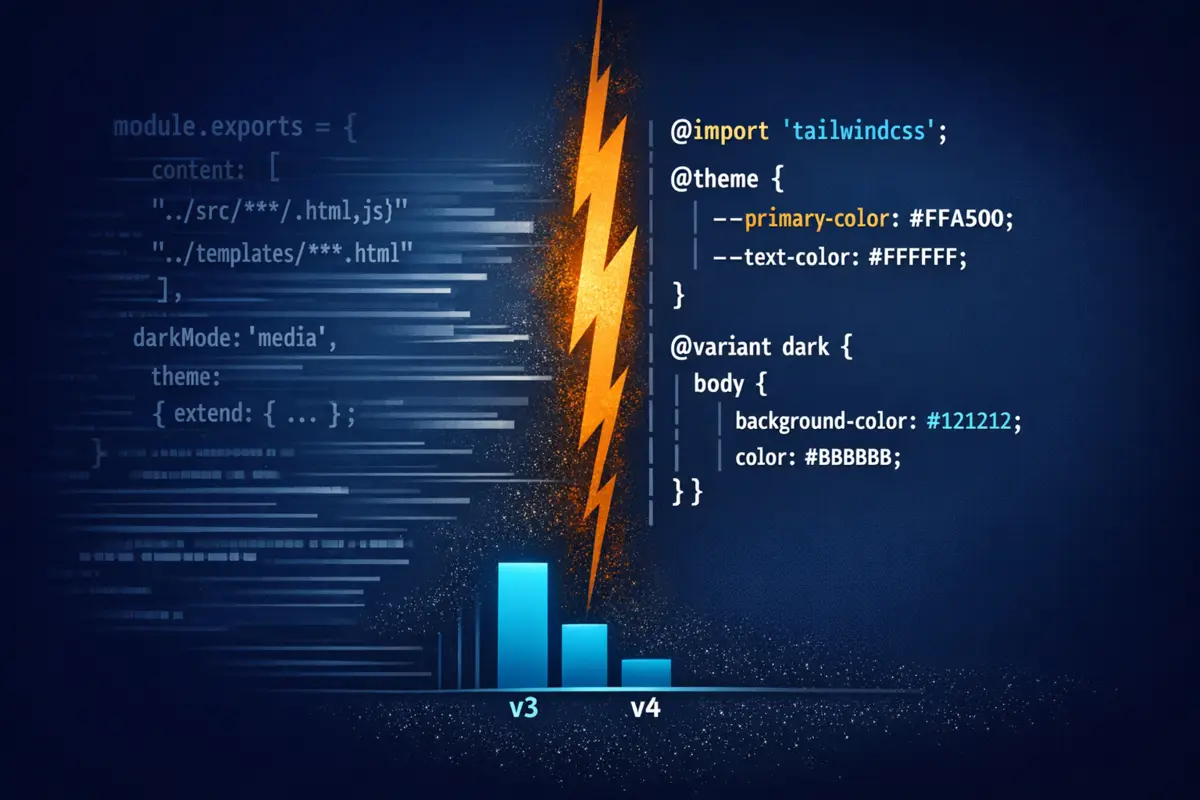
Tailwind v4 isn't a config syntax refresh with a migration codemod attached. It's a rewritten engine - Oxide, built in Rust - that changes how configuration works, how CSS is generated, how plugins are authored, and how the CLI operates. The headline benchmarks (full builds 5× faster, incremental builds 100×+ faster) are real, but the migration isn't purely mechanical. For developers with custom color palettes, class-based dark mode, or typography plugin overrides, there are breaking changes the codemod doesn't handle.
This post walks through what actually changed, migrates this blog's real v3 tailwind.config.js to v4 line by line, and flags the three breaking changes most likely to catch you off-guard. The migration is manageable - under an hour for a typical Eleventy blog - but you need to know what you're walking into.
What the Engine Change Means
The first thing to understand is that tailwind.config.js isn't just changing syntax - it's going away. Configuration moves into CSS using @theme, @utility, and @variant directives. The JS file is replaced by a CSS entry point that becomes the single source of truth for everything previously split between the config file and your CSS.
Four changes that affect every project:
- No more
tailwind.config.js: everything moves to CSS. The@tailwindcss/upgradecodemod generates a starter@themeblock from your existing config, but complex customizations need manual migration. - No more
contentarray: v4 uses automatic content detection. It scans your project for Nunjucks, HTML, Markdown, and JS files automatically. The explicitcontent: ['./src/**/*.{html,md,njk,js}']entry is no longer needed - though if you have non-standard locations or extensions,@sourceprovides an explicit escape hatch. @tailwindcss/clireplacestailwindcssfor CLI invocations: anynpx tailwindcsscall in your build scripts becomesnpx @tailwindcss/cli.@tailwindcss/postcssreplacestailwindcssas the PostCSS plugin package name, if you're using PostCSS.
The Oxide engine is written in Rust. The 5× full build and 100×+ incremental build improvements are from the Tailwind team's own benchmarks. For an Eleventy site running Tailwind as a separate build step, the incremental build gain is what you'll feel on every file save during local development.
The v3 Config: What We're Starting From
This blog's tailwind.config.js is a representative v3 config - a custom color scale, class-based dark mode, the typography plugin, and prose variable overrides:
/** @type {import('tailwindcss').Config} */
module.exports = {
  content: [
    "./src/**/*.{html,md,njk,js}",
  ],
  darkMode: 'class',
  theme: {
    extend: {
      colors: {
        primary: {
          50: '#f0f9ff',
          100: '#e0f2fe',
          200: '#bae6fd',
          300: '#7dd3fc',
          400: '#38bdf8',
          500: '#0ea5e9',
          600: '#0284c7',
          700: '#0369a1',
          800: '#075985',
          900: '#0c4a6e',
        },
      },
      typography: ({ theme }) => ({
        DEFAULT: {
          css: {
            '--tw-prose-body': theme('colors.gray[700]'),
            '--tw-prose-headings': theme('colors.gray[900]'),
            '--tw-prose-links': theme('colors.primary[600]'),
            '--tw-prose-bold': theme('colors.gray[900]'),
            '--tw-prose-code': theme('colors.gray[900]'),
            '--tw-prose-pre-bg': theme('colors.gray[100]'),
          },
        },
        invert: {
          css: {
            '--tw-prose-body': theme('colors.gray[300]'),
            '--tw-prose-headings': theme('colors.white'),
            '--tw-prose-links': theme('colors.primary[400]'),
            '--tw-prose-bold': theme('colors.white'),
            '--tw-prose-code': theme('colors.white'),
            '--tw-prose-pre-bg': theme('colors.gray[800]'),
          },
        },
      }),
    },
  },
  plugins: [
    require('@tailwindcss/typography'),
  ],
}
And the current src/styles/input.css entry point opens with:
@tailwind base;
@tailwind components;
@tailwind utilities;
Those three directives are the first thing to replace. Everything else follows from there.
Migrating to v4: Section by Section
The content array → gone
// v3 - delete this block entirely
content: [
  "./src/**/*.{html,md,njk,js}",
],
Auto-detection in v4 covers Nunjucks, HTML, Markdown, and JS without configuration. For a standard Eleventy project with templates in src/, nothing else is needed.
The theme.extend.colors block → @theme
The custom primary color scale moves from a JavaScript object to CSS custom properties in an @theme block inside input.css:
@import "tailwindcss";

@theme {
  --color-primary-50: #f0f9ff;
  --color-primary-100: #e0f2fe;
  --color-primary-200: #bae6fd;
  --color-primary-300: #7dd3fc;
  --color-primary-400: #38bdf8;
  --color-primary-500: #0ea5e9;
  --color-primary-600: #0284c7;
  --color-primary-700: #0369a1;
  --color-primary-800: #075985;
  --color-primary-900: #0c4a6e;
}
The naming convention is direct: theme.extend.colors.primary[500] becomes --color-primary-500. Every bg-primary-600, text-primary-400, and border-primary-600 in the templates continues to work without touching a single template file.
The plugins array → @plugin
// v3 - remove this
plugins: [
  require('@tailwindcss/typography'),
],
/* v4 - add to input.css */
@plugin "@tailwindcss/typography";
The require() call is replaced by a @plugin directive. The prose class, prose-sm, prose-lg, prose-invert - all work identically on the consuming side.
Typography theme overrides → direct CSS variables
The typography section of the v3 config is the most nuanced part of this migration. Those --tw-prose-* overrides were resolved at build time using Tailwind's theme() function. In v4, the same variables are still supported by @tailwindcss/typography, but you set them directly in CSS with the resolved hex values:
/* v4: resolved prose color overrides */
.prose {
  --tw-prose-body: #374151;      /* gray-700 */
  --tw-prose-headings: #111827;  /* gray-900 */
  --tw-prose-links: #0284c7;     /* primary-600 */
  --tw-prose-bold: #111827;
  --tw-prose-code: #111827;
  --tw-prose-pre-bg: #f3f4f6;    /* gray-100 */
}

.prose-invert {
  --tw-prose-body: #d1d5db;      /* gray-300 */
  --tw-prose-headings: #ffffff;
  --tw-prose-links: #38bdf8;     /* primary-400 */
  --tw-prose-bold: #ffffff;
  --tw-prose-code: #ffffff;
  --tw-prose-pre-bg: #1f2937;    /* gray-800 */
}
You lose the theme() indirection, but you gain direct CSS that a browser can read without a build tool.
darkMode: 'class' → @variant dark
This is the breaking change with the most teeth, and the one the codemod silently misses. The darkMode: 'class' option tells v3 to apply dark utilities when a .dark class is present on a parent element. In v4, that moves to CSS:
@variant dark (&:where(.dark, .dark *));
Without this line, all the dark: prefixed classes in the templates - dark:bg-gray-900, dark:text-gray-100, dark:prose-invert - will silently fall back to media-query behavior instead of responding to the .dark class toggled by JavaScript. The pages will still look fine in a system-level dark mode setting. The bug is invisible unless you test with the actual JS toggle.
The migrated input.css
Putting it together, the v3 entry point's three directives collapse into a single @import, and all theme configuration moves in:
@import "tailwindcss";
@plugin "@tailwindcss/typography";

@variant dark (&:where(.dark, .dark *));

@theme {
  --color-primary-50: #f0f9ff;
  --color-primary-100: #e0f2fe;
  --color-primary-200: #bae6fd;
  --color-primary-300: #7dd3fc;
  --color-primary-400: #38bdf8;
  --color-primary-500: #0ea5e9;
  --color-primary-600: #0284c7;
  --color-primary-700: #0369a1;
  --color-primary-800: #075985;
  --color-primary-900: #0c4a6e;
}

.prose {
  --tw-prose-body: #374151;
  --tw-prose-headings: #111827;
  --tw-prose-links: #0284c7;
  --tw-prose-bold: #111827;
  --tw-prose-code: #111827;
  --tw-prose-pre-bg: #f3f4f6;
}

.prose-invert {
  --tw-prose-body: #d1d5db;
  --tw-prose-headings: #ffffff;
  --tw-prose-links: #38bdf8;
  --tw-prose-bold: #ffffff;
  --tw-prose-code: #ffffff;
  --tw-prose-pre-bg: #1f2937;
}

@layer base {
  /* ... unchanged ... */
}

@layer components {
  /* ... unchanged ... */
}
tailwind.config.js gets deleted. One fewer JavaScript file in your project root.
The Three Breaking Changes Most Likely to Burn You
1. Dark mode configuration
Already covered above, but worth stating plainly: darkMode: 'class' has no automatic equivalent in v4, and the upgrade codemod does not emit the @variant dark line. If you skip it, your dark mode silently switches from class-based to media-query-based - a behavior change that's invisible in automated tests and only obvious when you manually click the dark mode toggle.
The fix is one line:
@variant dark (&:where(.dark, .dark *));
Put it at the top of input.css, immediately after the @import.
2. Arbitrary value syntax for CSS variables
v4 tightens the arbitrary value parser. The bracket syntax for inline CSS variable references changes:
<!-- v3 -->
<div class="bg-(--color-brand)">

<!-- v4: CSS variable references use parenthesis syntax -->
<div class="bg-(--color-brand)">
The (--variable) syntax replaces [var(--variable)] everywhere. If your templates reference CSS variables inline in Tailwind classes - common for dynamic theming or per-component tokens - this is a targeted find-and-replace across your template files. Run a grep for [var(-- before considering the migration done.
3. Custom screen breakpoints
If your config extends theme.screens, the breakpoints move to @theme:
// v3 tailwind.config.js
theme: {
  extend: {
    screens: { '3xl': '1920px' },
  },
},
/* v4 input.css */
@theme {
  --breakpoint-3xl: 1920px;
}
The subtler issue: v4 adjusts the default breakpoint values slightly. The sm, md, lg, xl, and 2xl values are close to their v3 equivalents but not identical. If your layout uses responsive utilities like md:grid-cols-2 at precise breakpoints and you care about exact pixel boundaries, check the v4 defaults before declaring the migration complete.
The Migration Path
Step 1: Run the codemod
npx @tailwindcss/upgrade
Handles: renaming deprecated utilities, generating a starter @theme block, updating PostCSS config. Does not handle: darkMode: 'class', typography theme() overrides, or arbitrary variable syntax.
Step 2: Install v4 packages
npm install tailwindcss @tailwindcss/cli @tailwindcss/typography
Step 3: Update package.json build scripts
The CLI package name changes from tailwindcss to @tailwindcss/cli. For this blog, that's two script entries:
{
  "scripts": {
    "build:css": "npx @tailwindcss/cli -i ./src/styles/input.css -o ./_site/styles/output.css --minify",
    "watch:css": "npx @tailwindcss/cli -i ./src/styles/input.css -o ./_site/styles/output.css --watch"
  }
}
The build, start, dev, and deploy scripts are unchanged - only the two that invoke the Tailwind CLI directly need updating.
Step 4: Update input.css
Replace the three @tailwind directives with @import "tailwindcss", add @plugin "@tailwindcss/typography", move the theme config in, and add the @variant dark line.
Step 5: Check for the three breaking changes
- Confirm
@variant dark (&:where(.dark, .dark *));is present - Grep for
[var(--and update to(--parenthesis syntax - Verify any custom breakpoint values against v4 defaults
Step 6: Verify the build
npm run build:css
Check the output file size - v4's dead-code elimination is more aggressive, so the output should be at least as small as v3, typically smaller. If you see deprecation warnings, address those before calling it done.
Build Time: What to Expect
For this blog's stack - Eleventy v2 with a moderate number of Tailwind utility classes - the Rust engine should drop cold build time from roughly 2-4 seconds to under a second, and reduce watch mode latency to something effectively instant.
The practical impact on the npm run dev script - which uses npm-run-all --parallel start watch:css to run Eleventy and Tailwind side by side - is that the watch:css process stops being something you wait for. The bottleneck shifts fully to Eleventy's templating and data cascade. That's exactly where you want it; the CSS layer should be invisible overhead, not a noticeable pause.
v4 Migration Checklist
- [ ] Run
npx @tailwindcss/upgradefirst - handles the mechanical parts - [ ]
npm install tailwindcss@next @tailwindcss/cli@next @tailwindcss/typography@next - [ ] Replace
@tailwind base/components/utilitieswith@import "tailwindcss"ininput.css - [ ] Add
@plugin "@tailwindcss/typography"toinput.css(replaces thepluginsarray) - [ ] Add
@variant dark (&:where(.dark, .dark *));- the codemod does not emit this - [ ] Move
theme.extend.colorsto@themeCSS custom properties - [ ] Resolve typography overrides to actual hex values in
.proseand.prose-invert - [ ] Update build scripts:
npx tailwindcss→npx @tailwindcss/cli - [ ] Grep for
[var(--and update to(--parenthesis syntax - [ ] Check any custom breakpoint values against v4 defaults
- [ ] Delete
tailwind.config.js- if the build passes, you're done
v4 is a better tool. The Rust engine is genuinely faster, the CSS-native config is more coherent than a JavaScript object that mirrors CSS concepts, and automatic content detection eliminates the whole category of "why aren't my classes generating?" debugging sessions. The migration has real rough edges - the darkMode: 'class' gap and the arbitrary value syntax change are both things the codemod won't catch for you. But for an Eleventy blog like this one, the full migration runs under an hour. The codemod handles 80% of it; the remaining 20% is a focused search-and-replace and one line of CSS. The result is a faster build, less config to maintain, and one fewer JavaScript file in your project root.
Working through a v4 migration and hitting something this post didn't cover? Reach out.