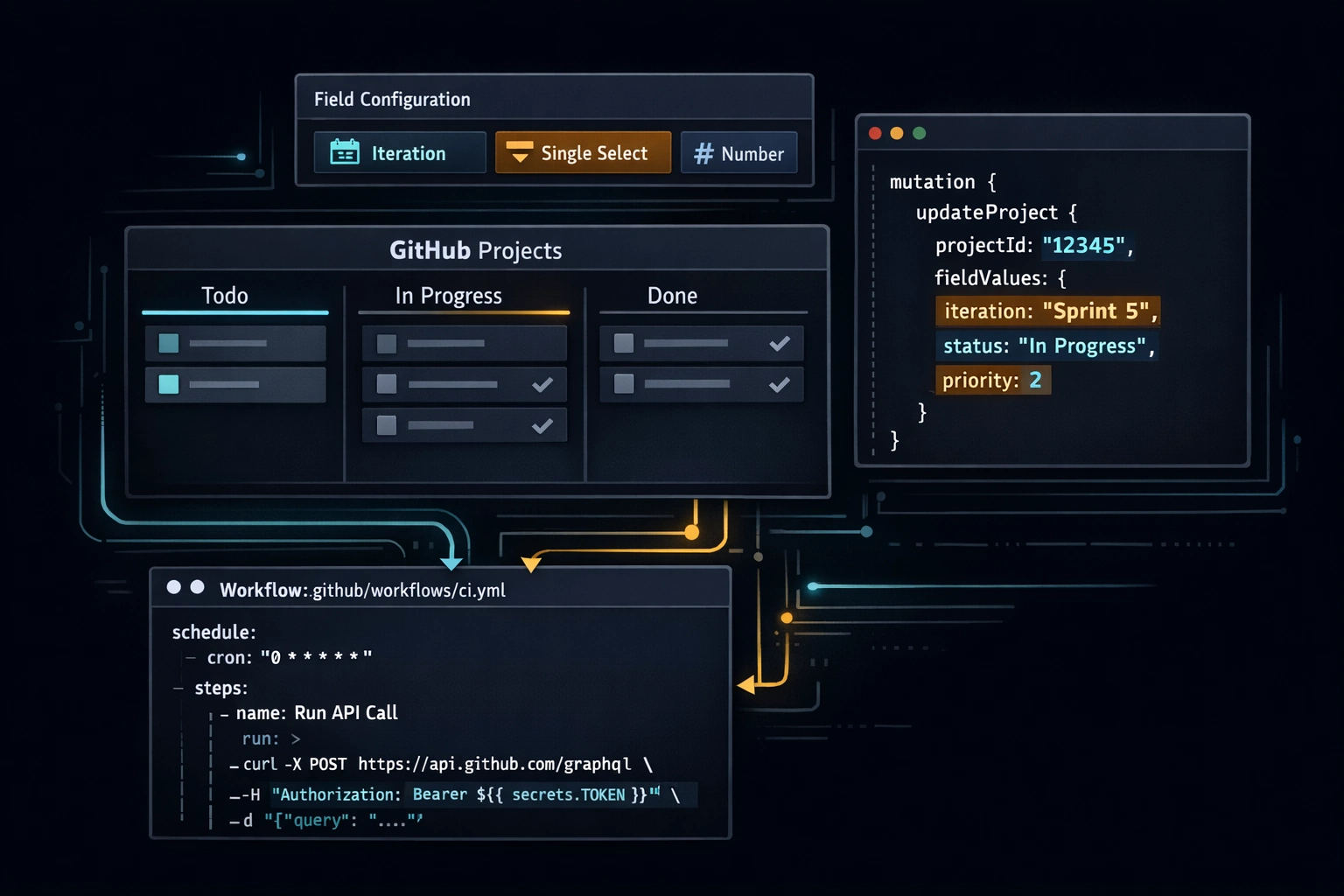
Most teams use GitHub Projects the way they use a whiteboard: they move cards around manually, they check in on Fridays to see what slipped, and they treat the board as a reporting artifact rather than a live system. That's a reasonable starting point. It's not where you should stay.
GitHub Projects v2 ships with a GraphQL API, a set of built-in automation workflows, and custom field types that compose into a lightweight engineering system. You can auto-assign new issues to the current sprint, reflect PR state back to issue status without human intervention, and schedule a weekly digest from a GitHub Actions workflow. None of this requires a third-party tool. None of it requires leaving GitHub.
The thesis: if your team is already on GitHub, you have most of what Jira offers. You're just not using it.
Custom Field Types
The three field types worth understanding are Iteration, Single Select, and Number. Each has a specific purpose and a specific shape in the API.
Iteration
An iteration field models a sprint. You define a cadence - say, two-week periods starting on Mondays - and GitHub generates named iterations automatically. Each iteration has an id, a title (e.g., "Iteration 3"), a startDate, and a duration in days.
To add an iteration field to your project in the UI: open the project, click + to add a field, choose Iteration, and configure the cadence. You'll configure the start date and duration once; subsequent iterations are created automatically.
The iteration field is the key to sprint assignment automation. When you have its field ID and the current iteration's option ID, you can set it programmatically on any project item - including items added in the last hour.
Single Select
A single-select field is a bounded set of named options with associated colors. This is where you put Status (Todo, In Progress, In Review, Done) and Priority (P0, P1, P2). You define the options in the field configuration; the API refers to each option by its id.
Single-select is what built-in workflows operate on. When you configure a workflow to "set status to In Progress when a PR is opened," the workflow is writing to a single-select field.
Number
A number field stores a decimal value. Use it for story points, effort estimates, or cycle time. There's no special behavior from the API perspective - you set it the same way you set any other field - but it unlocks grouping by numeric range and aggregate views in the project's insight charts.
Adding Fields via the UI
You don't need the API to create fields - use the project UI for one-time configuration, and the API for automation:
- Open your project.
- Click the + icon at the right of the column headers to add a field.
- Choose the field type and configure it (options for single-select, cadence for iteration).
- Note the field names exactly - you'll need them when querying the API.
Built-In Workflows
GitHub Projects ships four built-in workflow triggers you should turn on for any active project:
- Auto-add to project - when an issue or PR is opened in a linked repository, it's automatically added to the project. Requires no code. Enable it under Workflows in the project settings.
- Auto-archive closed items - when an issue or PR is closed and a configurable time passes (default: 7 days), the item is archived. Keeps the board from accumulating closed noise.
- Set status when PR is merged - when a linked PR is merged, the associated project item's status field is set to a value you configure (typically
Done). Requires a single-select field namedStatus. - Set status when PR is opened - sets a status value when a PR linked to an issue is opened. Use this to move an item to
In Progressautomatically when someone begins the work.
To configure: open your project, click ... → Workflows, and enable the relevant triggers. Each workflow lets you choose which field to set and which option to use.
These four cover the majority of status transitions in a normal sprint cycle. The only one you need the API for is sprint assignment, because the current iteration's option ID changes every sprint.
The GraphQL API
GitHub's Projects v2 API lives at https://api.github.com/graphql and requires a personal access token or a fine-grained token with project scope. For GitHub Actions, use a token stored in secrets.
Getting Your Project ID
Everything in the API starts with the project node ID. Fetch it by querying the organization or user:
query {
  organization(login: "your-org") {
    projectV2(number: 1) {
      id
      title
    }
  }
}
Or for a user-owned project:
query {
  user(login: "your-username") {
    projectV2(number: 1) {
      id
      title
    }
  }
}
The id returned is a base64-encoded node ID like PVT_kwDOA.... Store this as a repository variable - it doesn't change.
Fetching Field IDs and Option IDs
Field operations require the field's node ID and, for single-select and iteration fields, the option's node ID. Fetch them with:
query {
  node(id: "PVT_kwDOA...") {
    ... on ProjectV2 {
      fields(first: 20) {
        nodes {
          ... on ProjectV2Field {
            id
            name
          }
          ... on ProjectV2SingleSelectField {
            id
            name
            options {
              id
              name
            }
          }
          ... on ProjectV2IterationField {
            id
            name
            configuration {
              iterations {
                id
                title
                startDate
                duration
              }
            }
          }
        }
      }
    }
  }
}
Run this once and record the IDs for each field and option you'll automate. The field IDs are stable. Iteration option IDs change each sprint - that's the piece you'll query dynamically.
Updating a Field Value
The mutation to update any project item field is updateProjectV2ItemFieldValue. The shape varies slightly by field type.
Single-select field:
mutation {
  updateProjectV2ItemFieldValue(
    input: {
      projectId: "PVT_kwDOA..."
      itemId: "PVTI_lADOA..."
      fieldId: "PVTSSF_lADOA..."
      value: {
        singleSelectOptionId: "abc123"
      }
    }
  ) {
    projectV2Item {
      id
    }
  }
}
Iteration field:
mutation {
  updateProjectV2ItemFieldValue(
    input: {
      projectId: "PVT_kwDOA..."
      itemId: "PVTI_lADOA..."
      fieldId: "PVTIF_lADOA..."
      value: {
        iterationId: "iteration_id_here"
      }
    }
  ) {
    projectV2Item {
      id
    }
  }
}
Number field:
mutation {
  updateProjectV2ItemFieldValue(
    input: {
      projectId: "PVT_kwDOA..."
      itemId: "PVTI_lADOA..."
      fieldId: "PVTF_lADOA..."
      value: {
        number: 3
      }
    }
  ) {
    projectV2Item {
      id
    }
  }
}
The itemId is the project item's node ID (not the issue number). You get it by querying the project's items or by reading it from the projects_v2_item event payload in a GitHub Actions trigger.
Practical GitHub Actions Workflows
Here are three workflows that together cover sprint assignment, status automation, and weekly reporting.
1. Auto-Assign to Current Iteration
This workflow fires whenever a new issue is added to the project. It queries the current iteration from the iteration field, then sets that iteration on the newly added item.
name: Assign to Current Sprint

on:
  projects_v2_item:
    types: [created]

jobs:
  assign-sprint:
    runs-on: ubuntu-latest
    steps:
      - name: Assign item to current iteration
        env:
          GH_TOKEN: ${{ secrets.PROJECT_TOKEN }}
          PROJECT_ID: ${{ vars.PROJECT_ID }}
          ITERATION_FIELD_ID: ${{ vars.ITERATION_FIELD_ID }}
        run: |
          ITEM_ID="${{ github.event.projects_v2_item.node_id }}"

          # Get the current (first active) iteration ID
          ITERATION_ID=$(gh api graphql -f query='
            query($projectId: ID!) {
              node(id: $projectId) {
                ... on ProjectV2 {
                  fields(first: 20) {
                    nodes {
                      ... on ProjectV2IterationField {
                        id
                        configuration {
                          iterations {
                            id
                            startDate
                          }
                        }
                      }
                    }
                  }
                }
              }
            }
          ' -f projectId="$PROJECT_ID" \
            --jq '[.data.node.fields.nodes[] | select(.configuration != null) | .configuration.iterations[0].id] | first')

          # Set the iteration field on the item
          gh api graphql -f query='
            mutation($projectId: ID!, $itemId: ID!, $fieldId: ID!, $iterationId: String!) {
              updateProjectV2ItemFieldValue(input: {
                projectId: $projectId
                itemId: $itemId
                fieldId: $fieldId
                value: { iterationId: $iterationId }
              }) {
                projectV2Item { id }
              }
            }
          ' -f projectId="$PROJECT_ID" \
            -f itemId="$ITEM_ID" \
            -f fieldId="$ITERATION_FIELD_ID" \
            -f iterationId="$ITERATION_ID"
The projects_v2_item event requires the PROJECT_TOKEN to have project scope. A fine-grained personal access token with read and write access to the specific project works here.
2. Set "In Progress" When a Linked PR Is Opened
Built-in workflows handle this for the common case, but if you need custom logic - for example, only triggering on PRs from non-draft state, or updating a secondary field alongside status - a workflow gives you full control:
name: Set In Progress on PR Open

on:
  pull_request:
    types: [opened, ready_for_review]

jobs:
  update-project-status:
    runs-on: ubuntu-latest
    steps:
      - name: Find linked issue and update project status
        env:
          GH_TOKEN: ${{ secrets.PROJECT_TOKEN }}
          PROJECT_ID: ${{ vars.PROJECT_ID }}
          STATUS_FIELD_ID: ${{ vars.STATUS_FIELD_ID }}
          IN_PROGRESS_OPTION_ID: ${{ vars.IN_PROGRESS_OPTION_ID }}
        run: |
          PR_NUMBER="${{ github.event.pull_request.number }}"
          REPO="${{ github.repository }}"

          # Find the project item linked to this PR
          ITEM_ID=$(gh api graphql -f query='
            query($repo: String!, $owner: String!, $pr: Int!) {
              repository(owner: $owner, name: $repo) {
                pullRequest(number: $pr) {
                  projectItems(first: 5) {
                    nodes {
                      id
                      project {
                        id
                      }
                    }
                  }
                }
              }
            }
          ' -f owner="${REPO%%/*}" \
            -f repo="${REPO##*/}" \
            -F pr="$PR_NUMBER" \
            --jq ".data.repository.pullRequest.projectItems.nodes[] | select(.project.id == \"$PROJECT_ID\") | .id")

          if [ -z "$ITEM_ID" ]; then
            echo "No project item found for PR #$PR_NUMBER in project $PROJECT_ID"
            exit 0
          fi

          # Set status to In Progress
          gh api graphql -f query='
            mutation($projectId: ID!, $itemId: ID!, $fieldId: ID!, $optionId: String!) {
              updateProjectV2ItemFieldValue(input: {
                projectId: $projectId
                itemId: $itemId
                fieldId: $fieldId
                value: { singleSelectOptionId: $optionId }
              }) {
                projectV2Item { id }
              }
            }
          ' -f projectId="$PROJECT_ID" \
            -f itemId="$ITEM_ID" \
            -f fieldId="$STATUS_FIELD_ID" \
            -f optionId="$IN_PROGRESS_OPTION_ID"
Store STATUS_FIELD_ID and IN_PROGRESS_OPTION_ID as repository variables - you get them from the field query above.
3. Weekly Digest via Scheduled Workflow
This workflow runs every Monday morning, queries the project for items by status, and posts a summary to a Slack webhook or writes it to a GitHub issue. The example below writes the digest as a new issue in the repository.
name: Weekly Project Digest

on:
  schedule:
    - cron: '0 8 * * 1'   # Every Monday at 08:00 UTC
  workflow_dispatch:

jobs:
  digest:
    runs-on: ubuntu-latest
    permissions:
      issues: write
    steps:
      - name: Generate weekly digest
        env:
          GH_TOKEN: ${{ secrets.PROJECT_TOKEN }}
          PROJECT_ID: ${{ vars.PROJECT_ID }}
        run: |
          TODAY=$(date +%Y-%m-%d)

          # Query all project items with their status and assignees
          DIGEST=$(gh api graphql -f query='
            query($projectId: ID!) {
              node(id: $projectId) {
                ... on ProjectV2 {
                  items(first: 100) {
                    nodes {
                      id
                      content {
                        ... on Issue {
                          title
                          number
                          url
                          assignees(first: 3) {
                            nodes { login }
                          }
                        }
                        ... on PullRequest {
                          title
                          number
                          url
                          assignees(first: 3) {
                            nodes { login }
                          }
                        }
                      }
                      fieldValues(first: 10) {
                        nodes {
                          ... on ProjectV2ItemFieldSingleSelectValue {
                            name
                            field {
                              ... on ProjectV2SingleSelectField {
                                name
                              }
                            }
                          }
                          ... on ProjectV2ItemFieldIterationValue {
                            title
                            field {
                              ... on ProjectV2IterationField {
                                name
                              }
                            }
                          }
                        }
                      }
                    }
                  }
                }
              }
            }
          ' -f projectId="$PROJECT_ID")

          # Build the digest body using jq
          BODY=$(echo "$DIGEST" | jq -r '
            "## Weekly Project Digest - " + (now | strftime("%Y-%m-%d")) + "\n\n" +
            (
              .data.node.items.nodes
              | map(
                  . as $item |
                  {
                    title: (.content.title // "(no title)"),
                    number: (.content.number // ""),
                    url: (.content.url // ""),
                    status: (
                      .fieldValues.nodes[]
                      | select(.field.name == "Status")
                      | .name
                    ) // "No Status",
                    assignees: (
                      [.content.assignees.nodes[].login]
                      | if length > 0 then join(", ") else "unassigned" end
                    )
                  }
                )
              | group_by(.status)
              | map(
                  "### " + (.[0].status) + "\n\n" +
                  (
                    map("- [#\(.number) \(.title)](\(.url)) - \(.assignees)")
                    | join("\n")
                  )
                )
              | join("\n\n")
            )
          ')

          # Post the digest as a new issue
          gh issue create \
            --repo "${{ github.repository }}" \
            --title "Weekly Digest - $TODAY" \
            --label "digest" \
            --body "$BODY"
The jq query groups items by their Status field value and formats each group as a Markdown section. If you'd rather post to Slack, replace the gh issue create step with a curl call to your Slack webhook URL.
Repository Variables to Set Up
Before running any of these workflows, configure the following as repository variables (Settings → Secrets and variables → Variables):
| Variable | How to get it |
|---|---|
PROJECT_ID |
Run the project query above; copy the id field |
ITERATION_FIELD_ID |
Run the fields query; copy the id of your iteration field |
STATUS_FIELD_ID |
Run the fields query; copy the id of your single-select Status field |
IN_PROGRESS_OPTION_ID |
From the Status field's options array; copy the id for In Progress |
Store the PROJECT_TOKEN as a secret (it's a credential). Store everything else as a variable - none of the IDs are sensitive.
You Don't Need Jira
Every engineering team has an implicit project management tax: the time spent maintaining a tool that lives outside the actual work. Jira is powerful for the organizations that need its full feature set. For a team that lives in GitHub - where issues, PRs, code review, and CI/CD all coexist - the coordination overhead of a separate tool is real and rarely justified.
GitHub Projects v2, with custom fields and the GraphQL API, covers the things that matter for most teams: sprint tracking, status visibility, and automation that keeps the board accurate without human ceremony. You configure it once, you wire up two or three workflows, and then it runs.
The investment is an afternoon. The return is a project board that doesn't lie to you.
Questions, edge cases, or GraphQL shape oddities? Reach out.