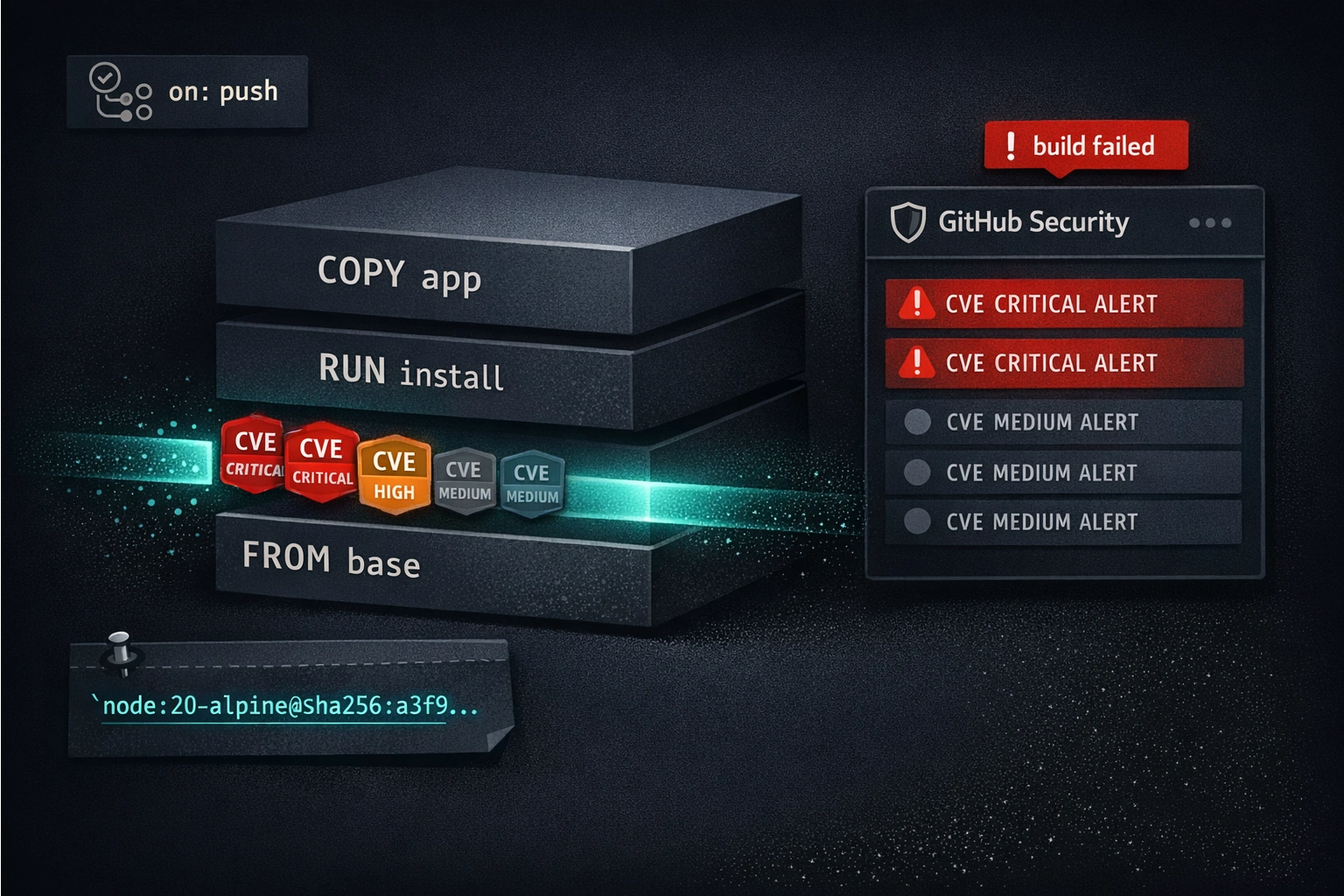
The scanner runs. Two hundred alerts appear. Nobody fixes anything.
This is not a Trivy problem or a GitHub problem. It's a configuration problem. An unconfigured vulnerability scanner produces a list sorted by count, not by urgency, with no distinction between CVEs that have a fix available today and CVEs where the upstream hasn't shipped a patch in two years. Every alert looks equally important, which means none of them are. The team stops looking at the output. The scanner keeps running. The checkbox stays green.
The workflow design is the security control, not the scanner. Trivy run without a severity threshold, without ignore-unfixed, and without SARIF integration into a triage workflow is just noise generation. This post is about running Trivy in a way that produces decisions: block builds on what you can fix today, surface what you can't for explicit acceptance, and eliminate the middle ground where alert fatigue lives.
The Signal-to-Noise Problem
A fresh node:20-alpine base image typically has between 20 and 80 reported CVEs. Most are MEDIUM or LOW severity. Most are in OS-level packages that your application doesn't directly invoke. Most have no fix available because the Alpine maintainers haven't shipped an update yet. Running Trivy without configuration against this image and failing the build on any vulnerability means your CI fails the day you adopt it and never passes again until you've suppressed every one of those alerts - at which point you've also suppressed the ones that matter.
The goal is a workflow where:
- CRITICAL vulnerabilities with a fix available block the build immediately
- HIGH vulnerabilities are reported to the Security tab for triage, but don't block every push
- Unfixed vulnerabilities are tracked separately, accepted with explicit justification, and revisited when upstream patches ship
- MEDIUM and below are invisible unless someone goes looking for them
This isn't being permissive about security - it's being precise about what can be acted on. A build that fails because your base image has a MEDIUM CVE in a compression library that's been unpatched for eighteen months is not a secure build. It's a build that nobody bothered to un-break. The team learns to add the suppression rule and move on. The CRITICAL vulnerability that shipped last week because the developer suppressed everything to make CI green is what you're actually trying to prevent.
Running Trivy in GitHub Actions
The aquasecurity/trivy-action wraps Trivy's scanning modes behind a clean interface. The two modes you'll use for container security are image (scan a built image from the Docker daemon or a registry) and config (scan a Dockerfile for misconfigurations).
Scanning a built image
- name: Scan container image
  uses: aquasecurity/trivy-action@0.28.0
  with:
    image-ref: 'ghcr.io/${{ github.repository }}:${{ github.sha }}'
    scan-type: 'image'
    format: 'table'
    severity: 'CRITICAL,HIGH'
    exit-code: '1'
    ignore-unfixed: true
The critical inputs:
severity limits which findings are processed. CRITICAL,HIGH means Trivy only reports and acts on those two severity levels - MEDIUM, LOW, and UNKNOWN are ignored entirely. This is your noise filter.
exit-code: '1' makes Trivy return a non-zero exit code when findings match the severity filter. Without this, Trivy scans and reports but never fails the step, which means it never blocks the build. Set this to '1'.
ignore-unfixed: true excludes CVEs where no fixed version exists in the advisory database. This is the single most important configuration decision for base image scanning. If upstream hasn't released a patch, you cannot fix it by changing your code. Failing the build on an unfixable CVE generates a suppression rule, not a security improvement.
image-ref points to the image to scan. This should be the image you just built in the same job, not a generic tag - scanning the exact artifact that will be pushed to the registry is the point.
Scanning a Dockerfile for misconfigurations
- name: Scan Dockerfile
  uses: aquasecurity/trivy-action@0.28.0
  with:
    scan-type: 'config'
    scan-ref: '.'
    format: 'table'
    exit-code: '1'
The config scan checks your Dockerfile against Trivy's misconfiguration rules: running as root, using ADD instead of COPY, missing USER directives, HEALTHCHECK absence, and others. This is orthogonal to vulnerability scanning - it catches bad Dockerfile patterns independent of what CVEs are in the image. Run both.
SARIF Output and the GitHub Security Tab
The table format is useful for humans reading workflow logs. The SARIF format is what connects Trivy to GitHub's Security tab - a persistent, triage-oriented interface that's separate from your CI runs and doesn't reset when the workflow finishes.
Generating SARIF output
- name: Scan container image (SARIF)
  uses: aquasecurity/trivy-action@0.28.0
  with:
    image-ref: 'ghcr.io/${{ github.repository }}:${{ github.sha }}'
    scan-type: 'image'
    format: 'sarif'
    output: 'trivy-results.sarif'
    severity: 'CRITICAL,HIGH'
    ignore-unfixed: true
Note: no exit-code here. The SARIF upload step is for visibility, not for build gating. The build gate is a separate step with exit-code: '1'.
Uploading to the Security tab
- name: Upload SARIF results
  uses: github/codeql-action/upload-sarif@v3
  if: always()
  with:
    sarif_file: 'trivy-results.sarif'
    category: 'container-scanning'
if: always() is important. Without it, if the Trivy scan step fails (because exit-code: '1' triggered), the upload step is skipped - which means you get a failing build but no Security tab entry showing you what failed. always() ensures the SARIF is uploaded regardless of whether the previous step succeeded.
category: 'container-scanning' namespaces the results in the Security tab, separating them from CodeQL static analysis alerts. If you run multiple Trivy scans in the same workflow (image scan + config scan), use distinct categories: container-scanning and container-config.
What the Security tab shows
The Security tab (Security → Code scanning) displays each finding as a persistent alert with its CVE ID, severity, affected package, fixed version (if available), and the workflow run that detected it. Alerts can be dismissed with a reason - "risk accepted", "false positive", "used in tests" - and a note. Dismissed alerts remain visible and auditable. A security reviewer can see what was dismissed, by whom, and why.
This matters more than it seems. A suppression in .trivyignore is a file in your repo that gets committed and approved in PRs - but it doesn't capture the reasoning. A dismissal in the Security tab has an author, a timestamp, and a reason attached. For compliance conversations, that's the difference between "we accepted this risk" and "we can prove we accepted this risk, here's who made the decision, here's when."
GitHub Advanced Security (GHAS) is required for private repositories. The Security tab and code scanning features are available on public repos for free. Private repos need either a GHAS license or GitHub Enterprise Cloud. Public repos get all of this at no cost.
Severity Thresholds That Work
The severity + exit-code combination is how you express your security policy in code. Here's a starting configuration that most teams can adopt immediately and tighten over time:
# Step 1: Upload all CRITICAL and HIGH to Security tab (always runs)
- name: Scan image - SARIF upload
  uses: aquasecurity/trivy-action@0.28.0
  with:
    image-ref: 'ghcr.io/${{ github.repository }}:${{ github.sha }}'
    scan-type: 'image'
    format: 'sarif'
    output: 'trivy-results.sarif'
    severity: 'CRITICAL,HIGH'
    ignore-unfixed: true

- name: Upload SARIF results
  uses: github/codeql-action/upload-sarif@v3
  if: always()
  with:
    sarif_file: 'trivy-results.sarif'
    category: 'container-scanning'

# Step 2: Fail the build on CRITICAL only
- name: Scan image - build gate
  uses: aquasecurity/trivy-action@0.28.0
  with:
    image-ref: 'ghcr.io/${{ github.repository }}:${{ github.sha }}'
    scan-type: 'image'
    format: 'table'
    severity: 'CRITICAL'
    exit-code: '1'
    ignore-unfixed: true
Two separate steps: one that uploads HIGH and CRITICAL to the Security tab for triage, and one that fails the build on CRITICAL only. This gives you visibility into HIGH vulnerabilities without blocking every push over something that might be low-priority for your application's threat model.
Why not block on HIGH?
MEDIUM is obviously too aggressive - the noise volume is too high and the fix rate too low. CRITICAL is clearly the right threshold to start with. HIGH is where teams argue, and the argument usually resolves as follows: block on HIGH after your team has demonstrated it can triage and resolve CRITICAL findings consistently. If your Security tab currently has 40 unresolved CRITICAL findings, adding HIGH to the build gate adds noise without adding security. Clear the CRITICAL backlog first, then raise the bar.
The threshold evolution looks like this over time:
- Start: fail on CRITICAL (fixable only), report HIGH to Security tab
- After 2-3 sprints: fail on CRITICAL and HIGH (fixable only), report MEDIUM to Security tab
- Mature state: fail on CRITICAL and HIGH (fixable only), suppress accepted risks in
.trivyignorewith expiry dates, audit MEDIUM findings monthly
Don't jump to step 3 on day one. Alert fatigue kills scanning programs faster than unconfigured ones.
ignore-unfixed and .trivyignore
ignore-unfixed: true
When a CVE appears in the advisory database but no patched version of the affected package exists yet, it's unfixable at your level. You can't upgrade past it. The only options are: wait for upstream, switch base images, or accept the risk. Failing the build on an unfixable CVE forces you to suppress it immediately just to unblock development, which means you're creating suppressions that may never get revisited.
ignore-unfixed: true excludes these from the build gate. They still appear in the SARIF output if you want visibility. The key property: when a fix does become available, the CVE re-enters the fixable pool and your next scan will catch it.
.trivyignore
For vulnerabilities where you've made an explicit acceptance decision - "this library is only used in tests", "the affected code path is unreachable in our use case", "we're waiting for a base image update and this is documented in ADR-047" - .trivyignore suppresses the finding.
A basic .trivyignore:
# CVE-2024-12345 - libssl in base image, no fix available upstream (as of 2026-07-17)
# Re-evaluate when node:20-alpine ships OpenSSL 3.1.6+
CVE-2024-12345

# CVE-2024-67890 - only affects the zlib compression CLI flag we don't use
CVE-2024-67890
Trivy 0.45+ supports expiry dates, which is the right way to handle accepted-risk suppressions:
# CVE-2024-12345 exp:2026-10-17
CVE-2024-12345
When the expiry date passes, Trivy treats the suppression as absent and the CVE returns to scan results. This forces periodic re-evaluation without requiring manual calendar reminders. Set expiry dates at 90 days for base-image CVEs with active upstream work, and at 180 days for anything else.
Every entry in .trivyignore should have a comment explaining why the suppression exists. A suppression without a comment is technical debt - nobody six months later knows whether it was a considered decision or something someone added to make CI green at 4pm on a Friday.
Base Image Pinning
# Mutable - this resolved to a different image last week than it does today
FROM node:20-alpine

# Pinned - this resolves to exactly one image, forever
FROM node:20-alpine@sha256:a3f9c21d8e4b7f5d9c2a1b0e3d6f8c5e7a4b9d2f0e1c3a5b7d9f2e4c6a8b0d2
Docker image tags are mutable pointers. node:20-alpine today resolves to one image; after the next Alpine security update it resolves to a different one with different packages and potentially different vulnerabilities. Pinning to a digest guarantees that your reproducible build is actually reproducible: the same digest always resolves to the same image, always has the same package set, and always produces the same scan results.
The objection: "we want to pick up base image security updates automatically." That's correct - and it's exactly what Dependabot handles.
Keeping pinned digests updated with Dependabot
# .github/dependabot.yml
version: 2
updates:
  - package-ecosystem: "docker"
    directory: "/"
    schedule:
      interval: "weekly"
    commit-message:
      prefix: "docker"
    labels:
      - "dependencies"
      - "docker"
With this configuration, Dependabot opens a PR whenever a new digest is available for your pinned base image. The PR goes through your normal review process - which means your security scan runs on the new image before the updated digest merges, not after it's already in production. You get automatic updates and reproducible builds simultaneously.
If you have Dockerfiles in subdirectories, add a separate entry per directory:
  - package-ecosystem: "docker"
    directory: "/services/api"
    schedule:
      interval: "weekly"
Renovate is an alternative with more configuration options - it supports group PRs that update multiple digests in a single PR, which is useful when you have five Dockerfiles all using the same base image.
Multi-Stage Build Hardening
A standard Node.js Dockerfile often looks like this:
FROM node:20

WORKDIR /app
COPY package*.json ./
RUN npm ci
COPY . .
RUN npm run build

EXPOSE 3000
CMD ["node", "dist/server.js"]
This ships the build toolchain, the npm executable, the full Node.js standard library, and every package in node_modules - including your devDependencies - into the production image. The attack surface is everything in that image. If an attacker achieves code execution in the container, they have npm, node, curl, sh, and a full Linux userspace to work with.
A hardened multi-stage version:
# Build stage - has everything needed to compile
FROM node:20-alpine@sha256:a3f9c21d8e4b7f5d9c2a1b0e3d6f8c5e7a4b9d2f0e1c3a5b7d9f2e4c6a8b0d2 AS builder

WORKDIR /app
COPY package*.json ./
RUN npm ci
COPY . .
RUN npm run build && npm prune --production

# Final stage - has only what's needed to run
FROM gcr.io/distroless/nodejs20-debian12

WORKDIR /app
COPY --from=builder /app/dist ./dist
COPY --from=builder /app/node_modules ./node_modules

USER nonroot

EXPOSE 3000
CMD ["dist/server.js"]
The final stage is based on gcr.io/distroless/nodejs20-debian12 - Google's distroless Node.js image. Distroless images contain only the runtime and your application. No shell, no package manager, no curl, no libc tools. The attack surface is dramatically smaller: if code execution is achieved, the attacker has the Node.js runtime and your application's files - nothing else.
What multi-stage removes from the final image:
- The build toolchain (compilers, build utilities)
- npm and package management tools
- Shell (
sh,bash) - devDependencies (pruned before the COPY step)
- Build-time secrets (if any were mounted as
--secretin the builder stage) - Any intermediate build artifacts not explicitly copied
npm prune --production in the builder stage before the COPY removes devDependencies from node_modules, so only production dependencies land in the final image.
USER nonroot in the distroless image runs the process as uid 65532, not root. If there's a vulnerability that allows container escape to host, running as non-root significantly limits what the attacker can do on the host.
Trivy scanning the distroless final image instead of the node:20 image typically reduces the CVE count by 60-80%. The scan still runs - distroless isn't vulnerability-free - but the surface area is smaller and the results are more actionable.
What to Do With Unfixable CVEs in Your Base Image
You've run Trivy with ignore-unfixed: false (temporarily, to assess the full picture) and found a CVE in your base image where upstream hasn't patched yet. Your options, in order of preference:
1. Wait for upstream. If the CVE is in the base OS packages and upstream is actively working on it, the right answer is often to wait. Pin the current digest, monitor the base image's release notes, and have Dependabot open a PR when the updated digest arrives. Your SARIF upload keeps the finding visible in the Security tab while you wait.
2. Switch base images. If a specific base image has a pattern of slow patching, consider alternatives. Chainguard's Node.js images (cgr.dev/chainguard/node) are rebuilt daily from source with minimal packages and often have zero CVEs in the base OS. The tradeoff is ecosystem stability - Chainguard images are more aggressive about removing old package versions, which can require more active maintenance of your Dockerfile.
Alpine-based images (node:20-alpine) generally have lower CVE counts than Debian-based ones (node:20) because Alpine uses musl libc and a smaller package set. If you're using a Debian base without a specific reason, switching to Alpine often resolves several unfixable CVEs immediately.
3. Suppress with justification in .trivyignore. When the CVE is genuinely not applicable to your use case - the vulnerable code path isn't reachable from your application, the affected binary isn't present in your final stage, or the CVSS vector doesn't apply to your deployment - suppress it with a comment explaining the reasoning and an expiry date. This is the correct pattern for accepted risk, not a workaround.
4. Document the decision as an ADR. For CVEs that will be suppressed for more than a sprint cycle, an Architecture Decision Record (as covered in an earlier post) is the right place to document the threat model reasoning. An ADR that says "we accept CVE-2024-XXXX in the base image because X, and we will re-evaluate when Y" is auditable and revisable. A .trivyignore comment is not, really.
Full Workflow Example
This is a complete job: build the image, scan it with Trivy (SARIF upload + build gate), and push to the registry only if the scan passes. Registry authentication uses OIDC - no stored credentials.
name: Build and Scan

on:
  push:
    branches: [main]
  pull_request:

permissions:
  contents: read
  id-token: write        # For OIDC registry authentication
  security-events: write # For SARIF upload to Security tab
  packages: write        # For GHCR push

jobs:
  build-scan-push:
    runs-on: ubuntu-latest
    steps:
      - uses: actions/checkout@v4

      - name: Set up Docker Buildx
        uses: docker/setup-buildx-action@v3

      - name: Log in to GitHub Container Registry
        uses: docker/login-action@v3
        with:
          registry: ghcr.io
          username: ${{ github.actor }}
          password: ${{ secrets.GITHUB_TOKEN }}

      - name: Build image (do not push yet)
        uses: docker/build-push-action@v6
        with:
          context: .
          push: false
          load: true
          tags: ghcr.io/${{ github.repository }}:${{ github.sha }}
          cache-from: type=gha
          cache-to: type=gha,mode=max

      # Scan 1: Upload CRITICAL and HIGH to Security tab
      - name: Scan image - SARIF upload
        uses: aquasecurity/trivy-action@0.28.0
        with:
          image-ref: 'ghcr.io/${{ github.repository }}:${{ github.sha }}'
          scan-type: 'image'
          format: 'sarif'
          output: 'trivy-results.sarif'
          severity: 'CRITICAL,HIGH'
          ignore-unfixed: true

      - name: Upload Trivy SARIF to Security tab
        uses: github/codeql-action/upload-sarif@v3
        if: always()
        with:
          sarif_file: 'trivy-results.sarif'
          category: 'container-scanning'

      # Scan 2: Block build on CRITICAL only
      - name: Scan image - build gate
        uses: aquasecurity/trivy-action@0.28.0
        with:
          image-ref: 'ghcr.io/${{ github.repository }}:${{ github.sha }}'
          scan-type: 'image'
          format: 'table'
          severity: 'CRITICAL'
          exit-code: '1'
          ignore-unfixed: true

      # Scan 3: Dockerfile misconfiguration check
      - name: Scan Dockerfile for misconfigurations
        uses: aquasecurity/trivy-action@0.28.0
        with:
          scan-type: 'config'
          scan-ref: '.'
          format: 'table'
          exit-code: '1'

      # Push only if all scans pass
      - name: Push image to registry
        uses: docker/build-push-action@v6
        with:
          context: .
          push: ${{ github.ref == 'refs/heads/main' }}
          tags: |
            ghcr.io/${{ github.repository }}:${{ github.sha }}
            ghcr.io/${{ github.repository }}:latest
          cache-from: type=gha
          cache-to: type=gha,mode=max
A few things worth noting:
Build before push, scan before push. The build-push-action with push: false and load: true builds the image and loads it into the Docker daemon without pushing to the registry. The scans run against this local image. The final step pushes only after all scans pass. This ensures the image in the registry was scanned before it arrived - not after.
security-events: write permission is required for upload-sarif. Without it, the upload step fails with a permissions error. Include it in the job-level permissions block.
${{ secrets.GITHUB_TOKEN }} for GHCR authentication is not a stored secret - GITHUB_TOKEN is the auto-provisioned workflow token. Combined with packages: write permission, it authenticates to the GitHub Container Registry without any manual credential setup.
Push condition ${{ github.ref == 'refs/heads/main' }} pushes to the registry only on merges to main. On PRs, the workflow builds and scans without pushing. This gives you scan feedback on PRs without polluting the registry with PR builds.
Container Scanning Checklist
- [ ] Pin base image digests in all Dockerfiles -
FROM node:20-alpine@sha256:..., notFROM node:20-alpine - [ ] Configure Dependabot for Docker (
package-ecosystem: "docker") to auto-update pinned digests weekly - [ ] Use multi-stage builds: builder stage with full toolchain, final stage with distroless or alpine runtime only
- [ ] Run
USER nonroot(distroless) or create a non-root user in the final stage - [ ] Set
ignore-unfixed: trueon the build gate scan - only block on what can be fixed - [ ] Start with
severity: 'CRITICAL'for the build gate; add HIGH after the team has cleared the CRITICAL backlog - [ ] Upload
severity: 'CRITICAL,HIGH'to the Security tab withif: always()on the upload step - [ ] Run a separate Dockerfile config scan (
scan-type: 'config') as its own build gate step - [ ] Add
.trivyignoreentries for accepted-risk CVEs with comment and expiry date (exp:YYYY-MM-DD) - [ ] For long-lived suppressions, document the decision in an ADR - not just a
.trivyignorecomment - [ ] Build before you push: scan the local image, push to registry only if scans pass
- [ ] For private repos: confirm GHAS is enabled for the Security tab to receive SARIF uploads
- [ ] Require
security-events: writepermission in the workflow forupload-sarifto work
Closing
The scanner is the easy part. Trivy is well-maintained, the aquasecurity/trivy-action integration is straightforward, and the SARIF upload to GitHub's Security tab takes five lines of YAML. None of that is where teams struggle.
Where teams struggle is the policy: what to block on, what to report but not block on, and what to explicitly accept. An unconfigured scanner produces undifferentiated noise. A scanner configured to block on CRITICAL-only with ignore-unfixed: true produces decisions - specifically, the decision to fix something or accept it with a documented reason.
The workflow design is the security control. The scanner surfaces findings; the severity threshold, the ignore-unfixed flag, and the .trivyignore file express your team's threat model in code. Treat them that way: review changes to .trivyignore as carefully as changes to your authentication logic, and treat the first CRITICAL finding in the Security tab as a P1, not a thing to suppress before the end of the sprint.
Pinned digests, multi-stage builds, and distroless final images reduce the finding count before the scanner runs. A smaller attack surface produces a more actionable scan report. Both things are true: reduce the surface and scan what remains.
Questions about Trivy configuration, GHAS setup, or container hardening? Reach out.