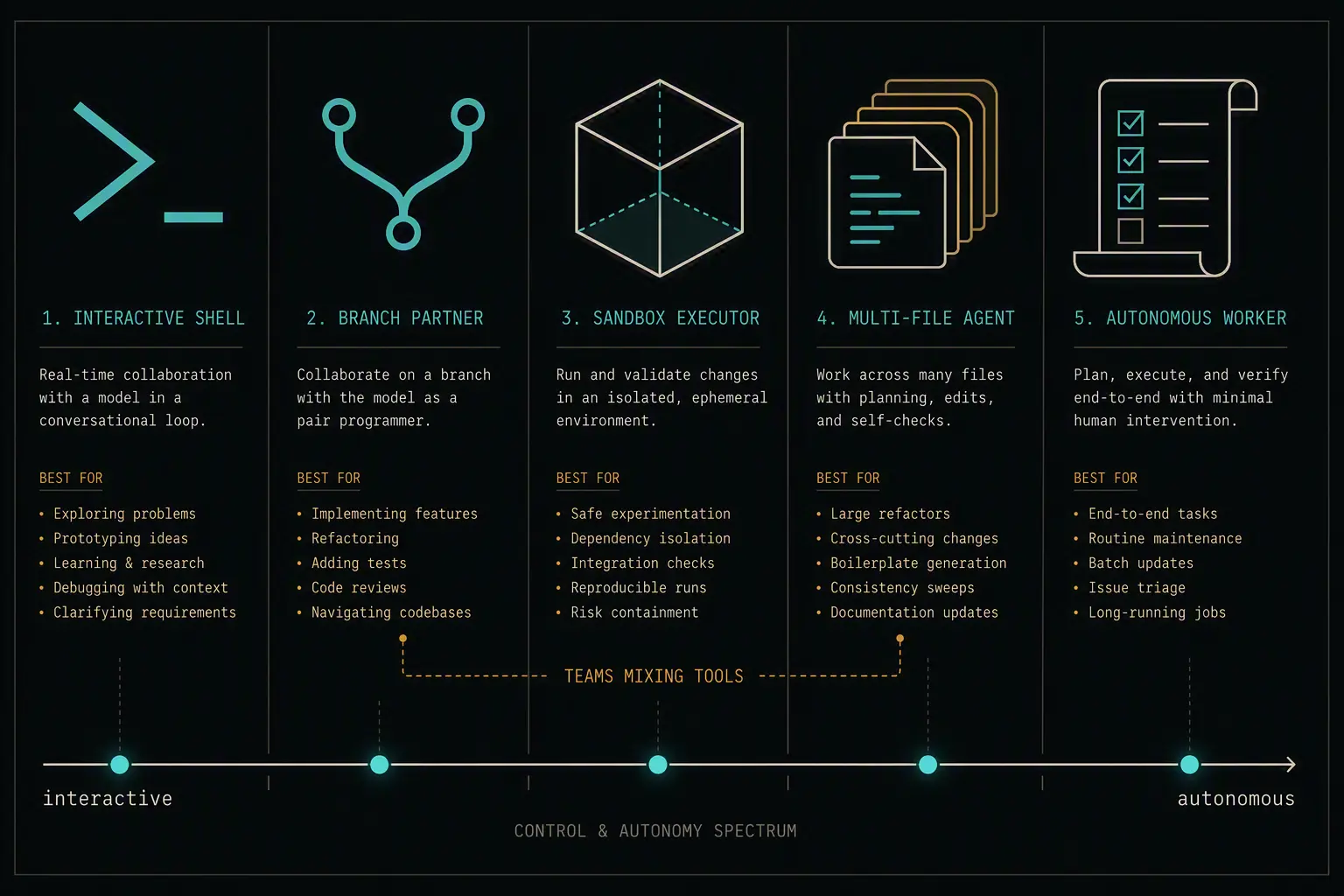
"AI coding assistant" used to mean autocomplete with better taste. That's not what's being compared anymore. The current generation - Claude Code, GitHub Copilot, OpenAI Codex, Cursor, and Amazon Kiro - plans multi-step tasks, edits across files, runs your test suite, and opens pull requests with a level of autonomy that changes how a team actually works, not just how fast someone types.
The catch is that these tools have genuinely different philosophies, not just different branding on the same idea. Some live in the terminal and expect you to script around them. Some are IDEs in their own right. Some optimize for staying out of your way; one insists you write a spec before it writes a line of code. Picking the "best" one depends entirely on what kind of work you're doing and how much control you want to keep.
This guide breaks down what each of the five actually does well, where it falls short, and which team or workflow it fits. Because this space moves in weeks rather than years, treat the specifics here as a snapshot rather than a permanent ranking, and check each vendor's own pricing and docs pages before committing.
Quick Comparison
| Dimension | Claude Code | GitHub Copilot | OpenAI Codex | Cursor | Amazon Kiro |
|---|---|---|---|---|---|
| Surface | Terminal, desktop app, IDE extensions | IDE extension (VS Code, JetBrains, etc.) | CLI, cloud sandbox, ChatGPT app | Standalone IDE (VS Code fork) | Standalone IDE (VS Code fork) |
| Core philosophy | Programmable agent with deep extensibility | Ubiquitous assistant baked into existing tools | Autonomous, async task execution | Fast, in-editor multi-file agent | Spec-first: plan before code |
| Autonomy style | High - hooks, subagents, custom workflows | Moderate - inline suggestions plus agent mode | High - fire-and-forget cloud tasks | Moderate-high - interactive agent loop | High, but gated behind an approved spec |
| Extensibility | Hooks, subagents, skills, plugins, MCP | Extensions ecosystem, MCP support | MCP support, sandboxed cloud execution | Rules, MCP, hooks, agent configs | Hooks, steering files, MCP |
| Best for | Power users who want a programmable, scriptable agent | Teams already standardized on GitHub/VS Code | Hands-off async work, cloud-heavy workflows | Developers who want agent power without leaving a familiar editor | Teams on AWS who want traceable, spec-first features |
Claude Code
A programmable coding platform, not a GUI tool. Runs in the terminal, desktop app, or inside your IDE. The core insight: you can hook into its execution loop and script what it does, block dangerous commands, auto-run linters, delegate side work to cheaper subagents that run in parallel.
This matters at scale. A large team doesn't want each developer reinventing the same prompt. You write a skill (reusable workflow), commit it to the repo, and it's there for everyone. A CLAUDE.md memory file holds your build commands and architecture rules, so the agent doesn't need re-explaining every session. Hooks enforce deterministic rules instead of hoping the model remembers an instruction.
The cost: you're learning a system, not a GUI. Week one is steeper than Cursor. Week ten? You've automated the busywork other teams still do by hand.
GitHub Copilot
The path of least resistance for teams already on GitHub. An extension, not a new application. It lives inside VS Code, JetBrains, Visual Studio, wherever you already work. Pull requests, code review, issues, all wired to Copilot natively. If your team has already cleared GitHub Enterprise through procurement and security, Copilot is already approved.
The pitch: no new tool, no new editor, no new conversation. On higher tiers, you can pick Claude, GPT, or Gemini per task without switching applications.
The edge: it's an extension bolted onto existing editors, not an IDE built around AI. Deep multi-step autonomy feels less native than in Cursor. But for organizations that are GitHub-first and want to add AI without disrupting workflow, this is it.
OpenAI Codex
Fire-and-forget async execution. You describe a task, "add caching to this endpoint", Codex clones your repo into a cloud sandbox, makes the changes, runs tests, and comes back with a PR. While it's working, you're doing something else.
Available from the CLI, a web sandbox, or ChatGPT itself. Cross-surface continuity, the same task history follows you everywhere. Good at tool-use-heavy work (terminal commands, integrations).
The tradeoff: you're not watching it work. That's the point, but it means slower feedback loops than an interactive agent. Cloud execution adds latency. And it pushes you toward OpenAI's own models if you want best results.
Cursor
Built as an IDE, not as a plugin. Feels like VS Code because it is a VS Code fork. Multi-file refactors, repo-wide changes, all happen interactively in the editor without context-switching.
Model flexibility: Claude, GPT, Gemini, or Cursor's own model, swappable per task. Reads team conventions from .claude/agents and .codex/agents files, so you bring your existing config along.
Cost is the friction: you're adopting a new editor. That's a bigger workflow change than installing an extension. Usage-sensitive pricing can surprise you at scale if your team goes heavy on agent features.
Amazon Kiro
A genuinely different workflow. Instead of prompt → code, you get prompt → structured spec (requirements, design, task breakdown) → code, only after you've approved the plan.
This catches design mistakes before any code exists. Reduces rework on complex features because misunderstood requirements are surfaced as a spec you read and correct, not discovered in diffs. The spec becomes a durable artifact your team versions and references.
Native AWS integration: Bedrock, IAM, CodeCatalyst. Event-driven hooks automate tests, docs, fixtures without prompting.
The cost: spec-first is slow for quick throwaway prototypes. It's built for production features where clarity upfront matters more than iteration speed. And it's AWS-first; friction if your team isn't.
How to Decide
A few heuristics that cover most real-world decisions:
Want the most programmable, scriptable agent and don't mind a terminal-first workflow? Claude Code's hooks, subagents, and skills give you the most control over how the agent behaves, at the cost of a steeper setup investment.
Already standardized on GitHub and don't want to introduce a new tool? GitHub Copilot is the path of least resistance, especially where procurement and security review already treat GitHub as approved.
Want to hand off well-defined tasks and review results later, rather than watching every step? Codex's async, sandboxed execution model is purpose-built for that.
Want the deepest agentic experience without leaving a familiar-feeling editor, and value being able to swap models? Cursor's dedicated IDE and multi-vendor model support fit that best.
Building production features on AWS where getting the requirements right matters more than speed of first draft? Kiro's spec-first workflow trades iteration speed for traceability and fewer rework cycles.
None of these are permanent, either-or decisions in practice - plenty of teams mix tools by task, using an async agent like Codex for well-scoped background work and an interactive one like Cursor or Claude Code for anything that needs a human in the loop the whole way through.
Frequently Asked Questions
Which AI coding agent is best for beginners?
GitHub Copilot and Cursor tend to have the gentlest learning curves, since both largely preserve a familiar "write code, get suggestions" experience before you ever touch their deeper agentic features. Claude Code and Kiro both ask more of you upfront - Claude Code's power comes from configuration you have to set up, and Kiro's spec-first workflow is a genuinely different way of working that takes some adjustment.
Do these tools replace code review?
No. All five can open pull requests and even leave automated review comments, but none of them are a substitute for a human reviewer, particularly for security-sensitive or architecturally significant changes. Treat AI-generated diffs the same way you'd treat a diff from an unfamiliar contributor - read it before merging.
Can I use more than one of these at the same time?
Yes, and many teams do - there's no technical conflict in having Copilot in your IDE while also using Codex for background async tasks, for example. The main cost is context-switching and potentially paying for multiple subscriptions, so most teams settle on one primary tool and use a second for a specific workflow it's uniquely good at.
Which one is cheapest?
Pricing in this category changes frequently and varies by usage volume, model choice, and plan tier, so there's no single stable answer. Free or low-cost tiers exist across most of these tools for light usage, but heavy agentic use - especially long autonomous runs - can get expensive regardless of vendor. Check current pricing directly before committing to a plan, and model your expected usage rather than trusting a headline price.
Is spec-driven development (Kiro's approach) better than just prompting?
It depends on the task. For complex, production-bound features where misunderstood requirements are costly, a spec-first step tends to catch problems earlier and reduce rework. For quick prototypes or exploratory work where you're still figuring out what you want, the upfront planning overhead can slow you down more than it helps. It's a workflow trade-off, not a strictly better or worse approach.
Do I need to pick based on the underlying AI model, or the tool itself?
Increasingly, the tool ("harness") matters as much as the underlying model. The frontier models these agents use have converged in raw capability, and what actually differentiates the experience is the surrounding system - how it manages context, what automation and extensibility it offers, and how it handles multi-step autonomy. Evaluate the workflow a tool enables, not just which model badge it's running.
Which of these works best for large, existing codebases versus greenfield projects?
Tools with strong context management and extensibility - Claude Code's subagents and memory files, Cursor's repo-wide understanding - tend to handle large, established codebases better, since they're built around bringing existing conventions into every task rather than starting from a blank slate. Kiro's spec-first approach also works well here, since it forces requirements clarity before touching a complex existing system. For greenfield projects, any of the five can move quickly, since there's less existing context to reconcile.
Questions about this? I can help.