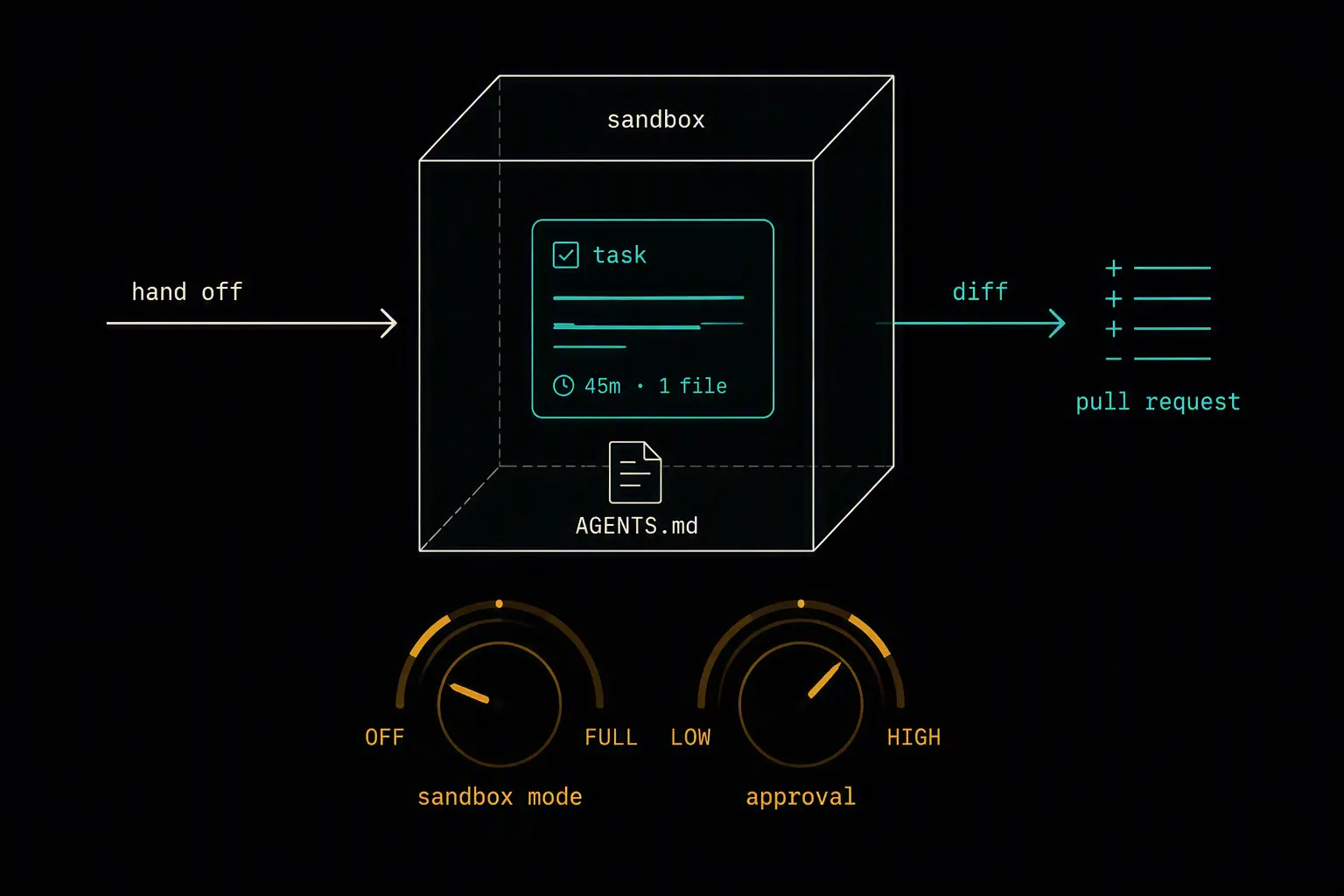
OpenAI Codex is built around a different assumption than most coding agents: that you'll often want to describe a task and walk away, rather than watch every edit happen live. That async, sandboxed-by-default design is Codex's biggest strength, but it also means the setup steps that matter most - sandbox mode, approval policy, and AGENTS.md - are exactly the ones people skip when they just want to try it quickly.
This guide covers installing the Codex CLI, bootstrapping a repository so Codex understands your project without you re-explaining it every session, the sandbox and approval model that keeps autonomous runs safe, and the best practices for getting reliable results out of hands-off execution. By the end you'll have a setup that's safe to run unattended and consistent across a team.
If you're comparing Codex against other options first, a comparison of the top AI coding agents covers where it fits relative to Claude Code, Copilot, Cursor, and Kiro.
What You'll Need
- macOS, Linux, or Windows (native sandbox support on all three; WSL also supported on Windows)
- Either a ChatGPT Plus/Pro/Business/Edu/Enterprise plan (Codex usage draws from that subscription) or an OpenAI API key for pay-per-token billing
- Node.js if installing via npm, though Homebrew and winget paths avoid that dependency
Installing Codex
# npm (recommended)
npm install -g @openai/codex

# Homebrew (macOS)
brew install --cask codex

# winget (Windows)
winget install codex
Alternatively, a direct install script or platform-specific binaries from GitHub Releases are available if you'd rather not use a package manager.
On first run, you'll be prompted to authenticate:
codex
Choose "Sign in with ChatGPT" to draw usage from an existing subscription, or configure an API key if you'd rather pay per token. Check which one is actually active with codex login status - it's easy to have both configured and lose track of which is being billed.
Bootstrapping the Ideal Environment
Codex's async, hands-off model makes the setup step more important than with an interactive tool - if it's going to make changes while you're not watching, it needs enough context and guardrails to do that safely.
AGENTS.md: standing instructions for every session
AGENTS.md at your repository root is what Codex reads at the start of every session - your conventions, which command runs tests, and what's off-limits. Without it, Codex re-derives your stack from scratch on every task, which costs time and produces less consistent results.
Generate one automatically:
codex
> /init
Or write it directly:
# AGENTS.md

## Stack
FastAPI backend, PostgreSQL, Alembic migrations.

## Commands
- `pytest` ,  run the test suite
- `ruff check .` ,  lint
- `alembic upgrade head` ,  apply migrations

## Constraints
- Never modify files under `infra/` without explicit approval
- Do not read `.env` ,  use `.env.example` as the reference for expected variables
This is the single highest-leverage file in a Codex setup. Skipping it means Codex has no way to know your test command or which directories are off-limits, and it will guess - sometimes wrong.
Sandbox mode and approval policy: two separate dials
These control different things, and conflating them is a common early mistake:
- Sandbox mode (
read-only,workspace-write,danger-full-access) sets what Codex is technically permitted to touch on the filesystem. - Approval policy sets whether Codex asks you before taking an action, independent of what the sandbox allows.
Start with workspace-write and an approval policy that prompts for anything outside the current project directory. danger-full-access (sometimes called full-auto) is built for disposable, sandboxed environments - running it against your actual machine removes the safety net that would otherwise catch a bad edit before it happens.
Excluding secrets explicitly
If .env isn't in .gitignore and isn't explicitly excluded from the sandbox's read access, Codex can read it like any other file in the repo. Exclude it explicitly in your sandbox configuration rather than assuming file permissions alone will keep it out of context.
Sharing config across a team
A baseline config.toml and a repository's AGENTS.md can be shared across a team the same way .eslintrc or CLAUDE.md would be - commit both. Authentication stays per-developer even when the rest of configuration is shared, since each person typically signs in with their own ChatGPT account or API key.
Core Workflow
cd your-project
codex
- Hand off well-scoped, verifiable tasks. Codex's strength is fire-and-forget execution - describe a task with a clear definition of done, let it run in its sandbox, and review the diff when it's finished rather than narrating every step.
- Use
@codex reviewand@codex fixfrom GitHub for PR-level work. OpenAI's GitHub integration supports commenting@codex reviewfor serious correctness bugs, security regressions, or missing tests (not style nits), and@codex fix the P1 issueto act directly on a flagged problem. - Use isolated worktrees for parallel work. Codex integrates with the OpenAI Agents SDK and MCP to run multiple agents against the same repository simultaneously using isolated git worktrees, so parallel tasks don't collide on the same working directory.
- Treat cloud sandbox runs and local CLI runs differently. Cloud-based tasks are naturally more isolated; local CLI runs against your actual filesystem need the sandbox and approval settings to be doing real work, not just sitting at defaults.
Verifying Your Setup
AGENTS.mdis being read - ask Codex how it would run your tests; it should name your actual test command, not guess- Sandbox mode matches your intent - confirm Codex can't write outside the project directory unless you've deliberately configured
danger-full-access - Secrets stay excluded - confirm Codex can't read
.envor similar files even when working inside the project directory - Authentication is what you expect - run
codex login statusand confirm usage is billing against the account you intended
Best Practices
Never skip AGENTS.md. It's the single biggest lever for consistent output, especially since Codex's default mode is async execution you're not watching step by step.
Default to workspace-write with prompts, not full-auto, on your primary machine. Reserve danger-full-access for genuinely disposable, sandboxed environments where a bad edit costs nothing.
Exclude secrets from sandbox read access explicitly. Don't rely on .gitignore alone - confirm your sandbox configuration actually blocks .env and similar files from being read.
Reserve @codex review for substantive issues, not style. OpenAI's own guidance is to point it at correctness bugs, security regressions, and missing authorization checks or tests - using it for style nits buries the reviews that actually matter.
Share config.toml and AGENTS.md, but keep authentication per-developer. Consistent behavior across a team doesn't require shared credentials, and shared credentials make it harder to attribute usage or revoke access individually.
Comparison with Claude Code
| Dimension | Codex | Claude Code |
|---|---|---|
| Default execution style | Async, sandbox-first - hand off and review later | Interactive, terminal-first - watch and steer live |
| Standing instructions | AGENTS.md |
CLAUDE.md |
| Safety model | Sandbox mode + separate approval policy | Permission prompts + hooks as deterministic guardrails |
| Parallel work | Isolated git worktrees for simultaneous agents | Subagents within a session, each with isolated context |
| GitHub-native review | @codex review / @codex fix via comments |
No native GitHub comment integration; PR review via CLI/CI |
Both use a root-level markdown file for standing project context, and both support MCP. The meaningful difference is philosophical: Codex defaults to autonomous, sandboxed, reviewed-after-the-fact execution, while Claude Code defaults to an interactive session you're actively directing, with autonomy layered on through hooks and subagents rather than being the starting assumption.
Frequently Asked Questions
Do I need a ChatGPT subscription to use Codex, or can I use an API key?
Either works. A ChatGPT Plus, Pro, Business, Edu, or Enterprise plan lets Codex usage draw from that subscription. Alternatively, authenticate with an OpenAI API key and pay per token through the OpenAI Platform. Check codex login status if you're unsure which is currently active.
What's the difference between sandbox mode and approval policy?
Sandbox mode sets what Codex is technically permitted to touch - read-only, workspace-write, or full access. Approval policy sets whether Codex asks you before acting, independent of what the sandbox allows. You can, for example, run in workspace-write while still requiring approval for anything outside the current directory.
Is full-auto mode safe to use on my main development machine?
Not recommended. Full-auto (danger-full-access) is built for disposable, sandboxed environments where a bad edit doesn't matter. Running it against your actual filesystem removes the safety net that would otherwise catch a destructive action before it executes.
How do I keep Codex from reading my .env file?
Make sure .env is excluded from the sandbox's read access explicitly, not just listed in .gitignore. If it isn't excluded, Codex can read it like any other file within the sandbox's permitted directory, regardless of whether it's tracked by Git.
What should I use @codex review for versus @codex fix?
Use @codex review to catch serious correctness bugs, security regressions, missing authorization checks, or missing tests - and explicitly ignore style-only issues so the signal doesn't get buried. Use @codex fix when you've already identified a specific problem and want Codex to address it directly, ideally with instructions to keep the fix minimal and add a regression test.
Can multiple Codex agents work on the same repository at once?
Yes, via isolated git worktrees - Codex integrates with the OpenAI Agents SDK and MCP to run parallel agents against the same repository without them colliding on the same working directory. This is particularly useful for splitting independent tasks that would otherwise conflict if run sequentially.
What's the most common mistake in a first Codex setup?
Skipping AGENTS.md entirely and defaulting to full-auto mode on a primary machine are the two most common early mistakes. The first means Codex has to guess your conventions and test commands every session; the second removes the safety net that sandboxing and approval policies are specifically designed to provide.
Questions about this? I can help.